Integration is where most Odoo projects run into trouble. The platform goes live. The connected systems don’t talk to each other properly. Data stops syncing. The build takes twice as long as planned. Or everything works at low volume and breaks the moment real transaction load hits.
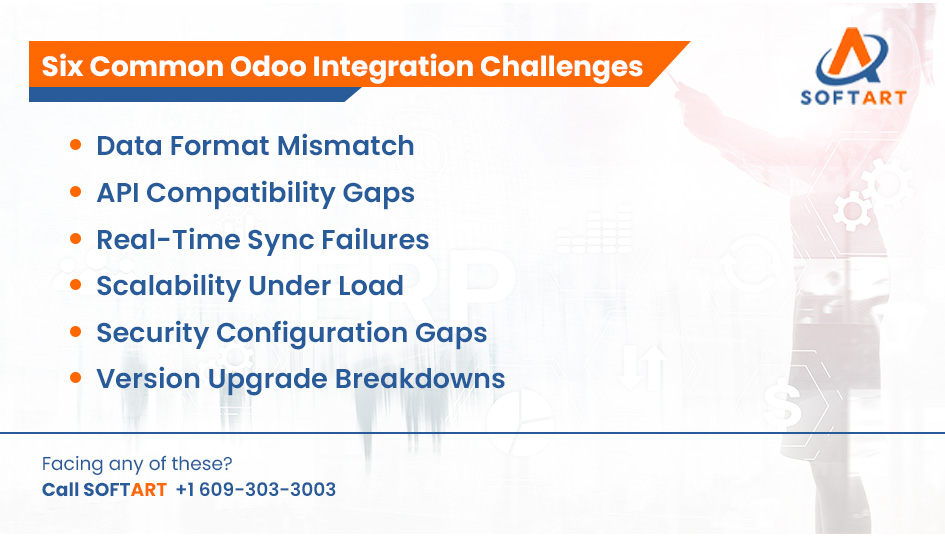
The most common Odoo ERP integration challenges are data format mismatch, API compatibility gaps, real-time sync failures, scalability problems under load, security configuration gaps, and maintenance failures after Odoo version upgrades. Each one is predictable. Each one is preventable with the right approach.
SoftArt Solutions Inc. delivers Odoo ERP integration services for USA businesses covering API builds, middleware configuration, data mapping, load testing, security setup, and post-integration maintenance.
Read on to understand why challenges and risks of Odoo implementation happens, what the business impact is, and how structured Odoo integration services address each one.
What Are the Most Common Odoo Integration Challenges?
The most common Odoo integration challenges are data format mismatch, API compatibility issues, real-time sync failures, scalability as volume grows, security gaps, and integration breakdown after Odoo version upgrades.
Over 60% of ERP integration failures are caused by poor data mapping and inconsistent data formats between systems, according to First Line Software’s July 2025 integration project analysis. The challenges below are where that failure originates.
-
Data Format Mismatch
Data mapping is the process of matching fields from one system to the corresponding fields in another so data transfers correctly without errors or loss. When the source system and Odoo use different formats for the same data, such as date structures, currency codes, product identifiers, or address formats, the integration either breaks or silently transfers incorrect data.
The business impact is significant. An order imported from Shopify with a mismatched product code doesn’t match Odoo’s inventory. A customer record from Salesforce with a differently formatted phone field creates a duplicate instead of updating the existing contact. Neither error is immediately visible. Both compound over time.
-
API Compatibility Gaps
Odoo supports REST API and XML-RPC protocols natively. Not every third-party system does. Legacy systems, proprietary platforms, and older enterprise tools often use different API standards, require custom authentication, or have rate limits that conflict with Odoo’s sync frequency.
When API compatibility isn’t assessed before the build starts, the integration either requires significant custom development to bridge the gap or fails to connect at all. This is one of the most common reasons Odoo integration projects overrun their original timelines and budgets.
-
Real-Time Sync Failures
Many businesses expect Odoo integrations to update both systems instantly. Real-time sync is achievable, but it requires webhook configuration, event-driven architecture, and reliable error handling for failed sync events.
Without these, integrations run on scheduled batch jobs. A sale confirmed in Shopify at 2pm might not update Odoo inventory until the next batch runs at midnight. That gap creates overselling, inaccurate stock counts, and customer fulfilment errors that are difficult to trace back to the integration architecture.
-
Scalability Under Transaction Load
An integration that works cleanly at 50 orders per day often breaks at 5,000. Integrations that weren’t built with load in mind hit API rate limits, create processing queues that back up, and generate timeout errors during peak periods.
This is the challenge most businesses don’t discover until it’s too late. Scalability testing before go-live is not standard practice in lower-cost integration builds. It’s one of the clearest separators between experienced Odoo integration services and generic API developers.
-
Security Configuration Gaps
Every Odoo ERP integration creates a data channel between systems. Without correct security configuration, that channel is a vulnerability. Common gaps include unsecured API keys stored in plain text, missing SSL encryption on data transfers, insufficient role-based access control on the integration layer, and no audit logging for data exchanges.
In 2026, security requirements for Odoo ERP integration include role-based access control, SSL encryption, secure API authentication, two-factor authentication where applicable, and automated backup of integration configurations.
-
Integration Breakdown After Odoo Version Upgrades
Odoo releases a major version annually. Each release modifies API endpoints, data structures, and module behaviour. Custom-built integrations that aren’t updated in line with each release break silently or partially, producing data errors that surface days or weeks after the upgrade.
This is a maintenance challenge, not a build challenge. But it’s consistently underestimated at the scoping stage. Businesses budget for building the integration and forget to budget for keeping it running.
What Are the Challenges and Risks of Odoo Implementation From an Integration Perspective?
From an integration perspective, the biggest implementation risks are starting integration work after system configuration is complete, underestimating custom API build time, and failing to test integrations under real transaction volume before go-live.
The average Odoo project runs 56% over budget, partly due to integration complexity that wasn’t scoped accurately at the start, according to Cudio’s 2025 ERP industry analysis. Integration is almost never the line item that gets the most attention in early project planning. It’s consistently where the unexpected cost appears.
An API is a set of rules that allows two software systems to communicate and exchange data automatically. Every third-party connection Odoo needs requires either a native connector, a custom API build, or a middleware layer. Each has different complexity, build time, and maintenance requirements.
Three integration risks that appear most often in Odoo implementation projects:
- Late Integration Planning. Integration work is scoped as an afterthought once the Odoo configuration is mostly complete. At that point, data structure decisions have already been made that affect how cleanly external systems can connect. Rework is expensive.
- Custom API Build Underestimation. A custom API connection between Odoo and a legacy system or proprietary platform is rarely a two-day build. Authentication, error handling, field mapping, testing, and documentation add up. Projects that quote API builds without a discovery assessment consistently underestimate by two to four times.
- Insufficient Load Testing Before Go-Live. Integration testing at low volume passes. The same integration fails on the first Monday after go-live when the real transaction queue hits the system. Load testing is non-negotiable for any business where order volume, data sync frequency, or user concurrency matters.
Why Is Building Odoo Integrations Internally Riskier Than It Looks?
Internal developers can build Odoo API connections. The risk isn’t their general technical capability. It’s the gap between general API development experience and Odoo-specific integration knowledge.
Here’s where that gap typically shows up:
What Internal Teams Usually Get Right:
- Establishing a basic API connection between two systems
- Reading Odoo’s technical documentation
- Building a simple one-directional data feed
What Internal Teams Typically Miss:
- Edge cases in bidirectional data mapping that only appear with real business data
- Odoo’s specific field validation rules and how they reject incoming data
- How to configure error handling so failed sync events are logged and retried rather than silently dropped
- The impact of each annual Odoo version release on their custom integration code
- Security configuration requirements specific to production ERP environments
The version upgrade maintenance problem deserves specific attention. Every time Odoo releases a major version, the internal team that built the integration needs to review, update, and retest it. If the original developer has left the business or moved to other projects, this becomes a significant support liability.
Self-built integrations also frequently carry security gaps. API keys stored in code repositories, missing SSL certificates, and insufficient access controls on the integration layer are common findings when SoftArt reviews inherited integration builds from new clients.
Internal builds make sense when the integration is simple, the connection is to a well-documented system with a stable API, and the internal team has Odoo version management capacity. For anything involving legacy systems, bidirectional sync, high transaction volume, or financial data, expert Odoo integration services consistently produce lower total cost and fewer post-go-live problems.
How Do Expert Odoo Integration Services Solve Each Challenge?
Expert Odoo integration services address each challenge through pre-build data mapping, API compatibility assessment, correct sync architecture, load testing, security configuration, and structured post-integration maintenance.
| Integration Challenge | How Expert Services Address It |
| Data Format Mismatch | Pre-build data mapping exercise aligns fields before any code is written. Test migration validates mapping before go-live. |
| API Compatibility Gaps | Compatibility assessment before build identifies which connection method (native, REST API, middleware) fits each system. |
| Real-Time Sync Failures | Webhook configuration and event-driven architecture replace batch jobs where real-time sync is required. Error handling catches and logs failed events. |
| Scalability Under Load | Load testing at projected peak volume before go-live. Architecture designed with rate limits and queue management in mind from the start. |
| Security Configuration Gaps | SSL encryption, secure API key management, role-based access control, and audit logging configured as standard on every integration build. |
| Version Upgrade Breakdowns | Post-integration maintenance agreement covers annual version review, compatibility testing, and integration updates with each Odoo release. |
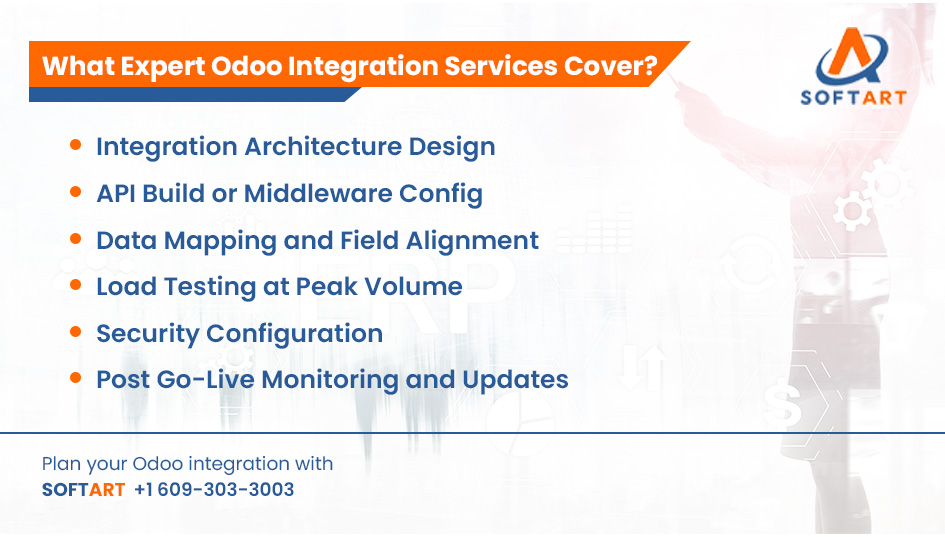
What full Odoo integration services cover as a structured engagement:
Pre-Build Phase:
- Integration architecture design
- API compatibility assessment per third-party system
- Data mapping and field alignment documentation
- Middleware selection where direct API isn’t feasible
Build and Test Phase:
- API build or middleware configuration
- Bidirectional data flow testing with real business data
- Load testing at projected peak volume
- Security configuration and audit log setup
Post Go-Live Phase:
- Integration monitoring and error alerting
- Version upgrade compatibility review and updates
- Performance optimisation as transaction volume grows
How Does SoftArt Deliver Odoo ERP Integration Services for USA Businesses?
SoftArt Solutions Inc. delivers Odoo ERP integration services for USA businesses across the full integration lifecycle, from architecture design through ongoing post-integration maintenance.
Common integrations SoftArt delivers for Odoo:
- Ecommerce platforms: Shopify, WooCommerce, Magento
- CRM systems: Salesforce, HubSpot
- Payment gateways: Stripe, PayPal, regional banking APIs
- HR and payroll: ADP, BambooHR
- Logistics and shipping: ShipStation, FedEx, UPS
- Productivity tools: Microsoft 365
- Legacy ERP and accounting systems during platform migrations
SoftArt’s team has delivered 50+ ERP integrations across Odoo, Oracle NetSuite, Oracle Cloud ERP, and Microsoft Dynamics 365. That cross-platform experience matters for integration work specifically. Understanding how data structures differ between platforms is what prevents the field mapping errors that cause 60% of integration failures. A team that has migrated businesses from NetSuite or Dynamics to Odoo has already mapped those field differences in production environments.
For USA businesses planning new Odoo integrations, SoftArt’s engagement starts with an integration architecture assessment before any build begins. This covers which connection method fits each system, what data mapping is required, what the security configuration needs to be, and what the ongoing maintenance commitment looks like.
For businesses with existing Odoo integrations that are underperforming, SoftArt delivers an integration audit covering data accuracy, sync reliability, security posture, and version compatibility.
Discuss Your Odoo Integration Requirements With SoftArt
Whether you’re planning new integrations, troubleshooting existing ones, or preparing for an Odoo version upgrade that will affect your current integration setup, SoftArt’s team can help.
Contact SoftArt to discuss your Odoo ERP integration requirements.
- Email: info@softart.co
- Call us at: US: +1 609-303-3003 | Canada: +1 609-303-3003 | UAE: +971 521490790
Frequently Asked Questions
What Is the Difference Between Odoo Native Connectors and Custom API Integration?
Odoo native connectors are pre-built for common platforms like Shopify and cover standard data flows. Custom API integration is built for systems without native connectors, covering specific field mapping, authentication, and sync requirements unique to that system.
Does Odoo Support Real-Time Data Sync With Third-Party Systems?
Yes, through webhook configuration and event-driven architecture. Real-time sync requires correct setup. Without it, integrations default to scheduled batch jobs, creating data lag between systems.
What Happens to Odoo Integrations When a New Odoo Version Is Released?
Custom API integrations need compatibility review and updates with each annual Odoo release. Native connectors are maintained by Odoo SA. A post-integration maintenance agreement covers this for custom builds.
How Long Does a Typical Odoo ERP Integration Project Take?
Simple one-directional integrations with well-documented APIs typically take two to four weeks. Bidirectional integrations with complex data mapping or legacy systems take four to eight weeks. Multi-system integration projects run eight to sixteen weeks depending on scope.