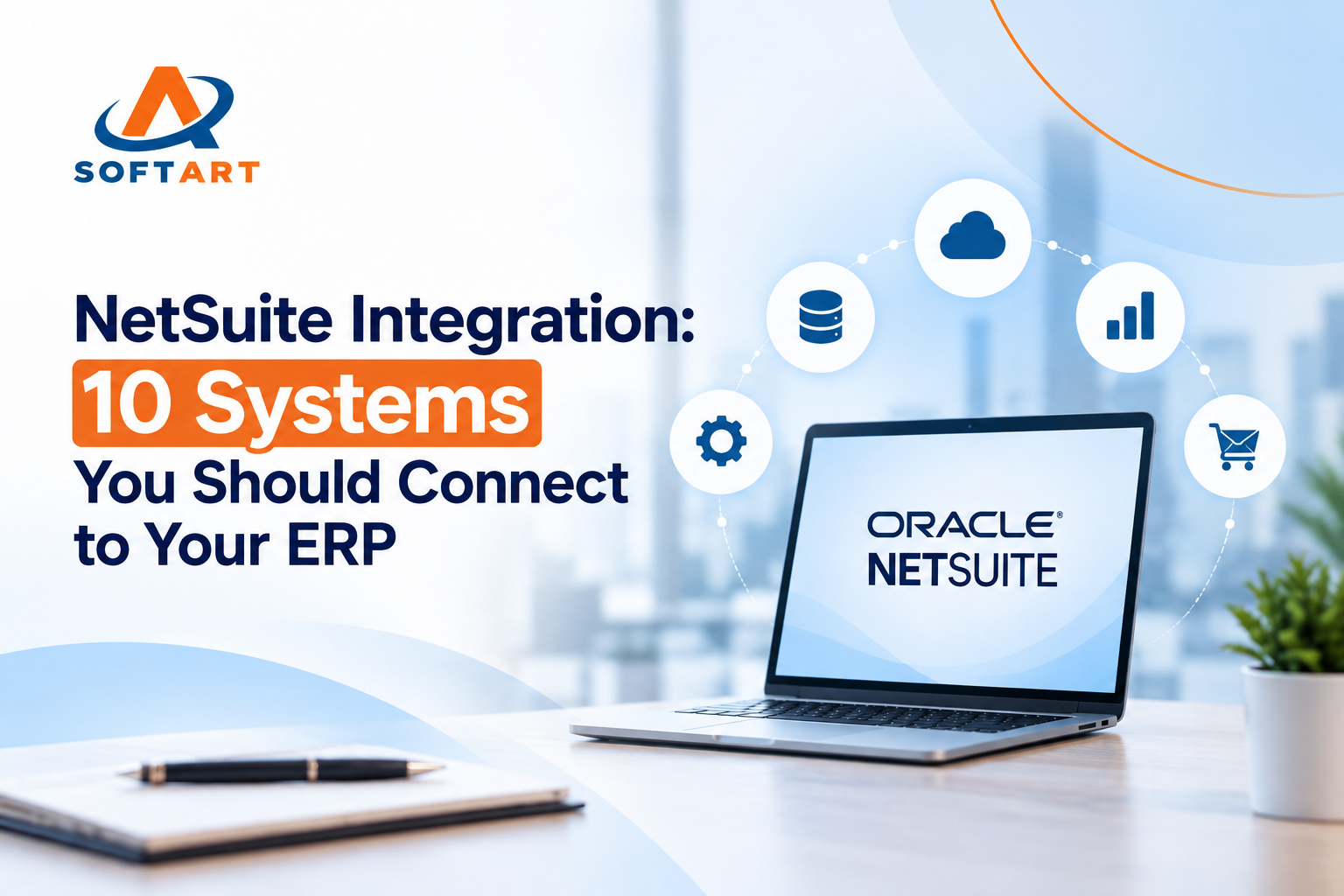
NetSuite integration connects an ERP system with the applications a business uses for sales, customer management, payments, inventory, fulfillment, reporting, and daily operations.
For many companies, NetSuite serves as the central system for financial and operational data. However, important information may still sit in Salesforce, Shopify, Stripe, Zendesk, Amazon, EDI networks, or internal business applications.
When these systems are disconnected, employees may enter the same information multiple times, reconcile records manually, and spend hours investigating differences between platforms.
A well-planned NetSuite integration helps businesses connect these processes, improve data accuracy, and give finance, sales, and operations teams better visibility.
10 Systems Businesses Should Integrate With NetSuite
1. CRM Platforms: Salesforce and HubSpot
CRM systems manage leads, contacts, accounts, opportunities, and sales activity. NetSuite manages customer financial records, sales orders, invoices, and payment information.
A NetSuite CRM integration connects sales and finance data so teams can work from a more complete customer record.
Common data flows include:
- Customer and contact synchronization
- Account and sales representative information
- Quotes and sales orders
- Product and pricing data
- Invoice status
- Customer credit information
- Payment history
For example, a sales representative can check whether an account has unpaid invoices before offering additional products or services.
The integration should define which system owns each record. The CRM may manage leads and opportunities, while NetSuite remains the source of truth for customers, orders, and financial transactions.
2. eCommerce Platforms: Shopify, Magento, and BigCommerce
Online stores generate orders, customer records, payments, returns, and inventory activity. NetSuite often manages the accounting, purchasing, fulfillment, and inventory processes behind those transactions.
A NetSuite eCommerce integration connects the storefront with ERP operations.
Typical data flows include:
- Online orders
- Product and SKU information
- Inventory availability
- Customer records
- Shipping details
- Order status
- Refunds and cancellations
Without integration, an online order may need to be entered into NetSuite manually. That creates delays and increases the risk of incorrect quantities, pricing, or customer information.
For businesses operating multiple stores or sales channels, integration can support a more consistent process from checkout to fulfillment and accounting.
3. Payment Platforms: Stripe and Other Gateways
Payment platforms process transactions, but finance teams still need those transactions recorded and reconciled in NetSuite.
A Stripe NetSuite integration can connect payments with invoices, customers, refunds, transaction fees, and settlement records.
Depending on the business model, the integration may support:
- Payment capture
- Invoice payment updates
- Refunds
- Failed transactions
- Processing fees
- Payouts
- Payment reconciliation
The right design depends on how payments are collected and how the finance team handles deposits, fees, refunds, and revenue recognition.
Businesses evaluating payment integration can review Stripe NetSuite integration options.
4. Customer Service Platforms: Zendesk
Customer service teams often work in Zendesk while finance and operations teams work in NetSuite.
When the two systems are connected, support teams may be able to view relevant customer and order information without repeatedly contacting other departments.
Depending on the setup, support agents may be able to access:
- Customer account details
- Order history
- Invoice status
- Product information
- Warranty details
- Return information
- Shipping status
This is useful for businesses handling a high volume of order, billing, or product-related support requests.
The integration should expose the information support teams need without giving every user unnecessary access to sensitive financial data.
Read more about Zendesk NetSuite integration.
5. Online Marketplaces: Amazon, eBay, and Walmart
Marketplace sellers may receive orders from several channels while managing inventory and accounting in NetSuite.
A NetSuite marketplace integration can bring orders from these platforms into the ERP and send inventory or fulfillment updates back to the marketplaces.
Common requirements include:
- Marketplace order import
- SKU and product matching
- Inventory updates
- Shipment confirmation
- Tracking information
- Returns
- Refunds
- Customer data
The main challenge is keeping product, inventory, and order information consistent across each sales channel.
A clear integration plan should define how duplicate SKUs, cancelled orders, partial shipments, and marketplace fees will be handled.
6. EDI, Shipping, and Logistics Systems
Manufacturers, wholesalers, and distributors often exchange documents with suppliers, retailers, and business customers through EDI systems.
Connecting EDI and logistics platforms with NetSuite can reduce manual document processing and improve visibility from order receipt through delivery.
Common integration points include:
- Purchase orders
- Sales orders
- Order acknowledgments
- Advance shipping notices
- Invoices
- Carrier information
- Tracking numbers
- Delivery updates
For businesses working with large retailers or enterprise customers, EDI integration is often an important part of the order-to-cash and procure-to-pay process.
The integration should also account for rejected documents, missing fields, duplicate transactions, and failed transmissions.
7. HR and Payroll Systems
HR and payroll systems contain employee, compensation, benefits, time, and department information. NetSuite may require selected financial data from these platforms for accounting and reporting.
Possible integration areas include:
- Employee records
- Departments and locations
- Payroll journal entries
- Benefits costs
- Time and expense information
- Workforce reporting
Not every HR record needs to be transferred to NetSuite. The integration should move only the information required for financial, operational, or reporting purposes.
Access controls are also important because payroll and employee data may contain sensitive information.
8. Marketing Automation Platforms
Platforms such as HubSpot and Marketo manage campaigns, leads, forms, and marketing activity.
Connecting marketing data with NetSuite can help businesses understand what happens after a lead becomes a customer.
Possible data flows include:
- Lead and contact records
- Campaign information
- Customer status
- Sales conversion data
- Revenue information
- Account ownership
This gives marketing and sales teams a clearer connection between campaign activity, closed business, and customer revenue.
The integration should avoid creating duplicate contacts or sending incomplete customer records into the ERP.
9. Business Intelligence and Reporting Tools
Power BI, Tableau, and other reporting platforms are often used to analyze NetSuite data.
A NetSuite data integration can transfer financial and operational information into a reporting environment for dashboards and management analysis.
Common reporting requirements include:
- Revenue and profitability
- Accounts receivable
- Inventory turnover
- Sales performance
- Purchasing activity
- Cash flow
- Department expenses
- Order fulfillment
Before connecting reporting tools, teams should define the required data, refresh frequency, historical information, and access permissions.
A reporting integration is only useful when the underlying data is mapped correctly and the numbers can be reconciled with NetSuite.
10. Custom Business Applications and APIs
Some businesses use internal portals, mobile applications, industry-specific software, or custom platforms that do not have a suitable prebuilt connector.
In these situations, NetSuite API integration may be the best option.
NetSuite tools such as SuiteTalk can support connections between external applications and ERP records or business processes.
Custom integration may be required for:
- Customer portals
- Custom order workflows
- Internal applications
- Product and pricing synchronization
- Approval processes
- Industry-specific software
- Specialized operational tools
Custom development should include data mapping, authentication, error handling, logging, testing, and a plan for future changes.
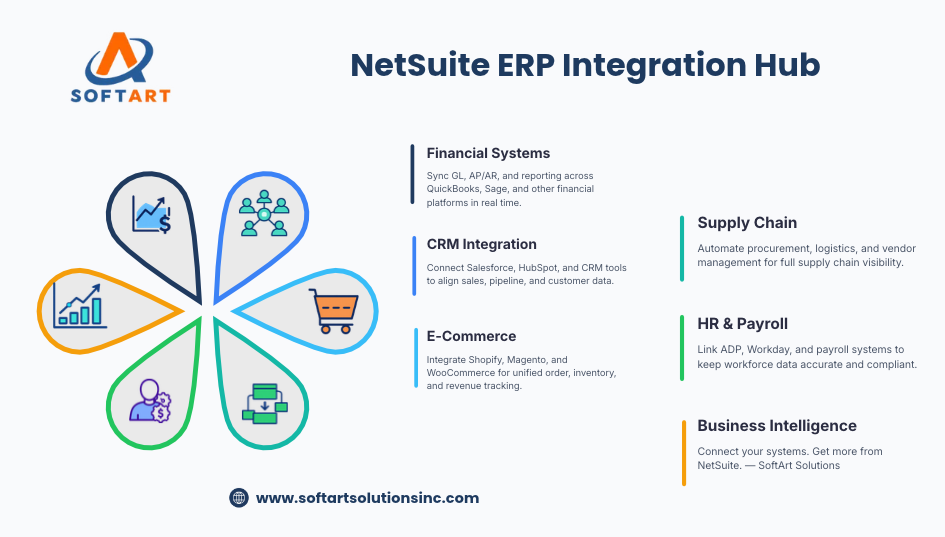
Which NetSuite Integration Method Is Right?
There is no single integration method that works for every business.
Prebuilt Connectors
Prebuilt connectors may be suitable when the application and data requirements are standard. They can be a practical choice for common platforms with established NetSuite integration options.
iPaaS Platforms
An integration platform as a service, or iPaaS, may be useful when several applications need to connect or when workflows require more flexibility than a basic connector provides.
Custom API Integration
Custom API development may be necessary when a business has unique processes, complex data mapping, high transaction volumes, or an application without a suitable connector.
The right decision should be based on the systems involved, business requirements, data ownership, security, budget, and long-term support needs.
What an Experienced NetSuite Integration Partner Should Handle
Integration is not only about moving data from one application to another. A successful project also requires planning, testing, and ongoing support.
An experienced NetSuite integration partner should be able to help with:
- Reviewing existing systems and integration gaps
- Defining the source of truth for each data type
- Mapping customers, products, orders, and financial records
- Selecting connectors, iPaaS, or custom APIs
- Defining real-time or scheduled synchronization
- Setting up error alerts and reprocessing procedures
- Testing transaction accuracy and data reconciliation
- Managing security and user permissions
- Supporting deployment and go-live
- Monitoring integrations after launch
These steps help prevent common issues such as duplicate records, missing transactions, incorrect inventory, and unreliable financial reporting.
Why Businesses Work With SoftArt Solutions
SoftArt Solutions brings experience across ERP implementation, integration, customization, and ongoing support.
Our track record includes:
- 100+ successful ERP implementations
- 50+ ERP integrations developed
- 25% higher ROI than competitors
- 50% faster time to go-live
Our NetSuite integration services help businesses connect ERP data with CRM, eCommerce, payment, customer service, marketplace, logistics, reporting, and custom business systems.
SoftArt can support the integration lifecycle—from reviewing requirements and planning data flows to development, testing, deployment, and post-launch support.
The goal is not simply to connect applications. It is to create a reliable flow of information across finance, sales, operations, and customer service.
Explore NetSuite integration services or speak with a NetSuite integration consultant about the systems and workflows that need to connect.
FAQs
What is NetSuite integration?
NetSuite integration connects NetSuite ERP with other business applications so customer, order, payment, inventory, financial, and operational data can move between systems.
What are the most common NetSuite integrations?
Common integrations include Salesforce, Shopify, Magento, Stripe, Zendesk, Amazon, EDI platforms, shipping systems, payroll software, Power BI, and custom business applications.
Does NetSuite integration require custom development?
Not always. A prebuilt connector may work for standard requirements. Custom API integration may be needed for unique workflows, complex data mapping, or systems without a suitable connector.
What is the difference between a NetSuite connector and API integration?
A connector is generally designed for a specific application and common use cases. API integration provides more control over data flows and business logic but may require additional development, testing, and maintenance.
How much do NetSuite integration services cost?
Pricing depends on the applications involved, number of workflows, data volume, customization, testing, security requirements, and ongoing support. A defined scope is required for an accurate estimate.
How long does a NetSuite integration project take?
The timeline depends on the number of systems, data requirements, integration method, testing, and business processes. A simple connection generally requires less work than a multi-system integration involving inventory, payments, orders, and financial reconciliation.
How can a business start a NetSuite integration project?
The first step is to identify the systems involved, the data that needs to move, the current manual processes, and the business problems the integration should solve. A NetSuite integration consultant can then recommend an appropriate approach.