Duplicate records in Dynamics 365 look harmless at first, until they start breaking your pipeline, reporting, and customer communication. One customer becomes two. Two quotes become one revenue number. Sales teams call the same lead twice. Service cases get split. Then the CRM stops feeling trustworthy.
That is why teams search how to fix Duplicate Data in Dynamics 365. They want a clear, practical fix, not theory. This guide gives you an end-to-end method to detect duplicates, merge safely, validate results, and prevent the problem from returning.
SoftArt treats this as a data reliability task, not a one-time cleanup. Follow the steps in order, and you will move from confusion to clean, usable CRM data.
What Does Duplicate Data Mean In Dynamics 365, And Why Does It Matter?
Duplicate data means the same real-world entity exists more than once in your system, which reduces data quality and creates record overlaps across teams.
In Dynamics 365, duplicates often show up as CRM duplicates in accounts, contacts, leads, vendors, or products. The impact is not cosmetic. It slows down operations, creates repeated outreach, breaks reporting, and weakens trust. The goal is to restore clean data, protect master data, and maintain a single truth that every team can work from.
What Should You Fix First When You Notice Duplicate Records In Dynamics 365?
Start with the modules that affect revenue, customer experience, and inventory the fastest.
Fix priority order:
- Customer masters records used by sales and service.
- Lead contacts that drive follow-ups.
- Opportunity duplicates that distort the sales pipeline.
- Service cases that affect resolution and SLA tracking.
- Vendor masters lists and product catalogs that affect purchasing and pricing.
- Inventory master items that affect stock accuracy.
- Finance modules where duplicate parties and addresses create posting errors.
This order stops operational damage quickly while you clean the rest of the system.
What Are The Most Common Causes Of Duplicate Data In Dynamics 365?
Duplicates build up when multiple sources create or update data without consistent standards, which leads to ongoing data duplication.
Which Human Actions Usually Create Duplicate Records?
- Manual entry without searching first.
- User permissions that allow too many creators for the same entity.
- Naming inconsistency in customer and company names.
- Missing fields like email or phone during creation.
- Lead conversion that creates a new record instead of linking correctly.
- Contact merge done inconsistently across teams.
Which System Flows Commonly Create Data Duplication?
- Data import without checks.
- Bulk uploads from spreadsheets.
- API imports from connected apps.
- Integration sync that pushes data both ways.
- Legacy migration that carries old duplicates into the new system.
- Mixed formats for names, phone numbers, and addresses.
Which Business Lists Create Hidden Duplicates?
- Vendor duplicates created by multiple departments.
- Item catalogs with similar names or codes.
- Email matches ignored during imports.
How Do You Detect Duplicate Data In Dynamics 365 Without Missing Anything?
Detection works best when you combine built-in tools with structured matching, instead of manual searching.
Which Built-In Tools Should You Use First?
- Duplicate rules for the entities you want to control.
- Detection jobs to scan existing records.
- Real-time alert so users get warned during creation.
- Batch detection for large scans outside business hours.
How Do You Improve Matching Accuracy So You Catch Near Duplicates?
- Match codes for controlled matching patterns.
- Fuzzy matching for small name variations.
- Cross-entity checks when the same person exists in multiple entities.
- Name similarity checks for spelling differences.
- Email phone checks using stable identifiers.
- Tax Codes matching for business records where TAX Code is the unique key.
When Do You Need Technical Or Automation Tools For Detection?
- Power Automate for rule-based duplicate handling flows.
- SQL queries for technical auditing and sampling.
- Azure factory when deduplication is part of a broader data pipeline.
- Custom logic when business rules need tailored detection.
How Do You Enable Duplicate Detection Rules In Dynamics 365 Step By Step?
You must define what counts as a duplicate, publish the rules, and ensure detection is enabled for daily operations.
Where Do You Configure Duplicate Detection Rules?
Go to the Power Platform Admin Center, select your environment, and open Settings > Data management > Duplicate detection rules.
What Should Your Rule Criteria Look Like?
Use criteria that match how your business identifies a unique record:
- Exact email matching for contacts.
- Phone matching for leads.
- VAT or registration matching for vendors.
- Controlled name logic for accounts.
What Must You Do After Creating Rules?
- Save and publish the rule so it becomes active.
- Enable detection for record creation, updates, and imports.
If the rule is not published, it will not protect your system.
How Do You Find Existing Duplicate Records Using Detection Jobs In Dynamics 365?
Detection jobs help you identify duplicates already stored in your system, in a repeatable way.
Follow this process:
- Create a detection job for one entity at a time.
- Select the rules you want to apply.
- Run the job during low-usage hours.
- Open the job and view duplicates for review.
This approach gives you a controlled list of duplicates, rather than random manual fixes.
How Do You Merge Duplicate Records Safely In Dynamics 365 Without Losing Data?
Merging is the core Record cleansing activity, but it must be controlled to avoid data loss.
What Should You Do Before Cleanup Starts?
- Backup first.
- Use a sandbox cleanup run for testing.
- Prepare a cleanup checklist so everyone follows one method.
- Get stakeholder approval before changing high-impact entities.
- Perform a test merge on sample records.
How Do You Merge Records In A Controlled Way?
- Use the merge wizard to guide merges safely.
- Perform a record review before final merges.
- Use duplicate merge only after verification.
- Use bulk merge only after rules are proven accurate.
- Apply priority ranking to decide the best master record.
- Apply conflict resolution for fields like address, owner, and phone.
- Use manual resolve when a record needs human decision-making.
What Checks Confirm The Cleanup Worked Correctly?
- Data validation on key fields after merges.
- Post-merge check of activities, notes, and related records.
- History preserve confirmation so nothing important disappears.
- Audit trail confirmation for compliance and traceability.
- Rollback plan readiness for high-risk merges.
- Execute changes in the live environment only after testing.
How Do You Fix Duplicate Data At Scale In Dynamics 365 When Volumes Are High?
When duplicates are in the thousands, manual merging becomes inefficient. Use bulk and automation options, while keeping review and governance in place.
Practical scale options:
- Use a dedupe tool when you need high-volume merging and fuzzy matching support.
- Use a data unification approach when you need winner logic for master records.
- Use automation when duplicates keep returning from integrations.
The goal is speed without breaking trust or traceability.
How Do You Prevent Duplicate Data From Returning In Dynamics 365 Long Term?
Prevention is the most important step, because it protects long-term Data hygiene.
What Rules Reduce New Duplicates At The Point Of Entry?
- Assign specific users who will handle the masters creation and not everyone
- Enable workflow for masters creation to be triggered when someone requests for master to be created
- Naming standards that teams follow consistently.
- Required fields for email, phone, VAT, or IDs.
- Unique identifiers to enforce identity.
- Validation rules that block incomplete creation.
- Search before create as a team habit.
What Process Controls Reduce Duplicates From Imports And Integrations?
- Approval workflow for bulk imports.
- One master source for each entity.
- Single direction sync wherever possible.
- Permission restrict rules for who can create critical entities.
- Integration clean checks after every integration change.
What Ongoing Practices Keep Data Hygiene Strong?
- Data governance ownership with documented policies.
- User training to reduce mistakes and shortcuts.
- Weekly monitor checks for key entities.
- Scheduled scans to detect early duplicates.
- Dashboard track reporting to keep duplication visible.
- Address normalize rules for consistent formats.
- Vendor standardize rules for supplier naming and IDs.
- Item classification to stop product repetition.
- Category structure to keep catalogs organised.
- Compliance rules so audits stay simple and clean.
What Benefits Prove That Your Duplicate Data Fix In Dynamics 365 Is Working?
You can measure success through operational improvements and more reliable reporting.
Key outcomes to track:
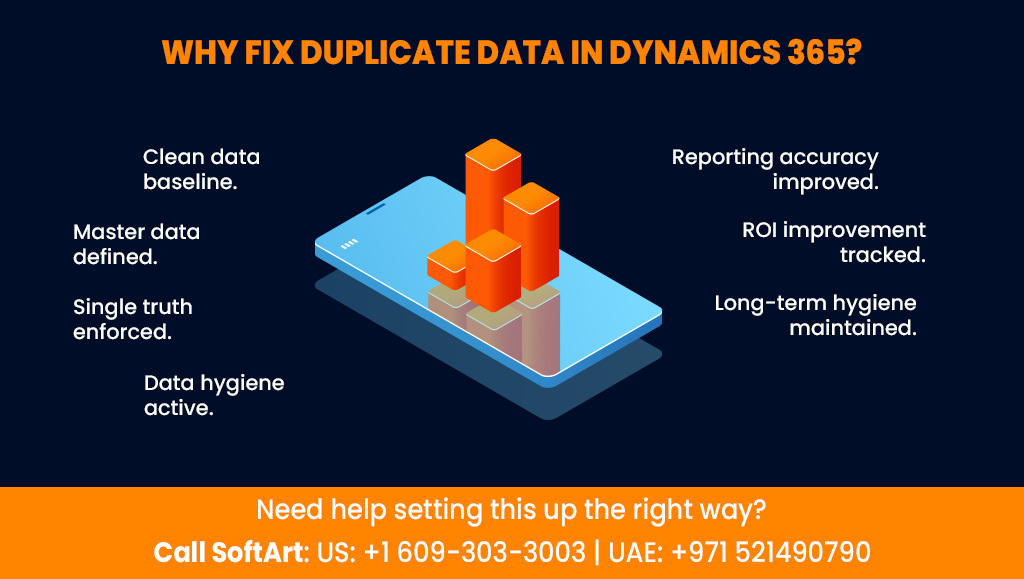
- Reporting accuracy improves across teams.
- Cost savings increase because rework reduces.
- Efficiency gain shows up as faster search and cleaner handoffs.
- Customer experience improves because communication stays consistent.
- Decision speed increases because teams trust reports.
- Inventory accuracy improves when items are not split across duplicates.
- ROI improvement is easier to prove after clean data stabilises.
- Trend identification becomes reliable when duplicate noise reduces.
- Weekly dashboard tracking shows whether duplicates are returning.
- Long-term hygiene improves when rules and governance remain active.
When Should You Use Dynamics 365 Implementation Services Or Managed Support Services For Duplicate Data Issues?
If duplicates are recurring, cross-entity, or caused by imports and integrations, structured support becomes essential.
If you want a stable setup that does not break after the first cleanup, Dynamics 365 implementation services help you build rules, structure, and governance. If you want ongoing monitoring, detection jobs, and prevention enforcement, dynamics 365 managed support services keep your CRM clean month after month.
Many teams clean once and see duplicates return. Support prevents that cycle.
How Can SoftArt Help You Fix Duplicate Data In Dynamics 365 And Keep It Clean?
At SoftArt, our teams move from reactive cleanup to controlled data quality with clear governance and measurable outcomes.
SoftArt typically supports:
- Detection rule and matching setup for key entities.
- Safe merge planning with testing and audit protection.
- Prevention systems for entry, imports, and integrations.
- Monitoring through dashboards and scheduled checks.
- Ownership frameworks so data stays clean across teams.
If you are trying to solve how to fix Duplicate Data in Dynamics 365 without breaking reporting, workflows, or compliance, SoftArt helps you do it in a stable, repeatable way.
Want Your Dynamics 365 Data Cleaned And Protected From Duplicates Long Term?
If you want controlled cleanup plus prevention systems that keep your CRM reliable, SoftArt can help you move from cleanup to steady-state data reliability.
Call Us At: US: +1 609-303-3003 | UAE: +971 521490790.
Frequently Asked Questions
What is the fastest way to find duplicate records in Dynamics 365?
Use published duplicate rules and run detection jobs on leads, contacts, and accounts first. This gives you a controlled list of duplicates to review and merge.
Is it safe to merge records in Dynamics 365?
Yes, if you back up first, test merges, and validate the result after merging. Merging without review can overwrite correct values or remove useful history.
Can integrations recreate duplicates after cleanup?
Yes, especially when sync is bi-directional or matching rules are weak. Fix the integration logic and prevention rules to stop duplicates from returning.
How often should we run duplicate detection scans?
Weekly scans work well for most organisations. Increase frequency if you have high daily data entry or frequent imports.
Which entities should we clean first?
Start with leads, contacts, accounts, and opportunities. Then clean vendors, product catalogs, and inventory items.
Do we need ongoing support after cleanup?
If duplicates return due to user behaviour, imports, or integrations, ongoing monitoring helps maintain clean data. This is where dynamics 365 managed support services are useful.