Procurement teams lose time in the same places every week. Purchase order confirmations sit in email threads. Vendor onboarding slows down. Invoice follow-up becomes manual. Supplier communication stays spread across inboxes, calls, and spreadsheets. As supplier volume grows, control usually gets weaker instead of stronger.
That is why the Dynamics 365 Finance and Operations Vendor Portal matters. In Microsoft’s actual product language, this capability is mainly delivered through vendor collaboration and the Vendor collaboration invoicing workspace. It gives approved suppliers a secure way to work with purchase orders, requests for quotation, invoicing, onboarding, and selected vendor data inside the system instead of outside it.
At SoftArt, we help businesses turn this into a real procurement workflow that improves response speed, visibility, and supplier control.
What Is The Dynamics 365 Finance And Operations Vendor Portal?
The Dynamics 365 Finance and Operations Vendor Portal is best understood as Microsoft’s supplier-facing collaboration environment. It is not just a passive portal for viewing records. It is a controlled digital space where external vendors can work with procurement and accounts payable processes inside Dynamics 365. Microsoft documents this under vendor collaboration, vendor collaboration invoicing workspace, vendor onboarding, and vendor collaboration user management.
This matters because many buyers search for a “vendor portal” or “vendor self service portal Dynamics 365,” while Microsoft uses more specific product terms in its documentation. The business intent is the same. The goal is to let suppliers participate in procurement tasks without relying only on manual email chains.
Why Can’t Procurement Teams Afford To Ignore The Vendor Self Service Portal In Dynamics 365?
Procurement teams cannot ignore it because supplier collaboration becomes hard to govern when every approval, invoice, and PO response lives outside the ERP. Once the business works with more vendors, more branches, or more approval layers, manual follow-up starts creating delays and blind spots.
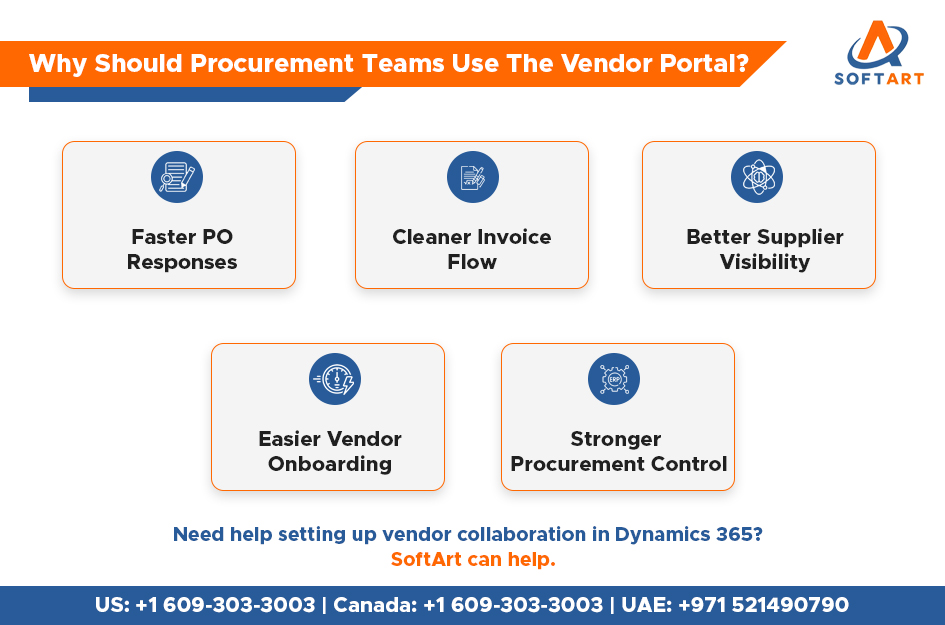
This portal helps reduce:
- Delayed PO acknowledgement
- Weak supplier response visibility
- Invoice submission bottlenecks
- Fragmented onboarding
- Email-heavy follow-up work
Microsoft also makes clear that this capability is primarily targeted at vendors that do not already have EDI integration. That makes it especially useful for businesses that work with a wide supplier base but do not want every vendor relationship to depend on custom system-to-system connectivity.
What Can Vendors Actually Do In The Vendor Self Service Portal Dynamics 365 Environment?
Vendors can do more than simply look up status. They can collaborate on operational procurement tasks in a way that keeps actions visible inside the ERP. Microsoft states that vendors can work with purchase orders, invoices, consignment inventory information, requests for quotation, and parts of their vendor master data through vendor collaboration.
Purchase Order Collaboration
Vendors can review purchase orders and respond to them directly in the collaboration interface. Microsoft says vendors can accept a PO, reject it, or accept it with changes. If they choose changes, they can work at line level instead of only responding at the full-document level. Microsoft also notes that the process can be configured so vendor confirmation automatically confirms the order in Supply Chain Management.
RFQ And Sourcing Interaction
The portal also supports sourcing collaboration. Microsoft says vendors can use vendor collaboration to work with RFQs, which means supplier interaction can begin earlier in the procurement cycle instead of only after a purchase order is issued.
Invoice Visibility And Submission
The Vendor collaboration invoicing workspace gives vendors direct invoice-related access. Microsoft says vendors can create invoices from purchase orders, submit them to workflow, view invoice information, and track invoice states such as draft, submitted, approved but not paid, and paid. The workspace also supports attachments, including files, notes, images, and URLs.
Vendor Onboarding And Registration
Vendor onboarding can begin before the supplier is fully created in the system. Microsoft says the initial request often comes from a customer-hosted website that allows anonymous access. The supplier submits basic details, the request is imported for review, and then the contact person can be invited into a registration wizard to complete more information. That wizard can collect country- or region-specific details before approval and vendor creation.
How Does The Dynamics 365 Finance And Operations Vendor Portal Improve Procurement Control?
It improves procurement control by making supplier activity visible, structured, and auditable inside the ERP instead of scattering it across inboxes and spreadsheets. Procurement teams can see where supplier actions are pending, where documents are submitted, and where workflow holds are happening. That gives better operational control than email-based collaboration.
The portal is especially useful because businesses can also configure what vendors are allowed to see. Microsoft notes, for example, that companies can specify whether purchase order prices and amounts should be visible to the vendor. That gives procurement teams more control over supplier-facing information without moving work outside the system.
Which Procurement Processes Benefit Most From Vendor Collaboration?
The strongest fit is in processes where supplier response speed, document exchange, and workflow visibility directly affect procurement performance. Vendor collaboration helps most when the business needs supplier-facing actions to stay structured and trackable.
The main processes that benefit are:
- Purchase order review and response
- RFQ participation
- Invoice submission and tracking
- Vendor onboarding and registration
- Consignment inventory collaboration
- Supplier communication tied to workflow and approvals
Procurement Process Vs How The Vendor Portal Helps
| Procurement Process | Vendor Portal Value |
|---|---|
| Purchase order handling | Better PO review, acceptance, rejection, and change tracking |
| RFQ response | Cleaner sourcing collaboration with suppliers |
| Invoice submission | More direct invoice workflow and status visibility |
| Vendor onboarding | Structured registration and approval process |
| Vendor communication | Less dependence on scattered email chains |
| Procurement control | Better visibility into supplier-facing actions |
How Does Vendor Onboarding Work In Dynamics 365 Finance And Operations?
Vendor onboarding works through a structured registration and approval flow. Microsoft says the process can start from a prospective vendor request, often submitted through a customer-hosted site that allows anonymous access. Procurement reviews that request, user provisioning can be triggered, and the vendor contact is then invited to complete a registration wizard. Once the approval flow finishes, the vendor record is created and access can be granted.
This process becomes more useful when security is planned properly. Microsoft documents external security roles such as Vendor (external) and Vendor admin (external). The vendor admin role can be used where suppliers need to create new contacts, request user access changes, or handle those requests through workflow. That makes onboarding more scalable when supplier organisations have multiple users.
How Does Invoice Collaboration Work In The Portal?
Invoice collaboration is handled through the Vendor collaboration invoicing workspace. Microsoft says suppliers can create invoices from purchase orders, submit invoices through workflow, track invoice state, and attach supporting content such as files, notes, images, and URLs. This reduces dependency on email-based invoice submission and gives both vendors and internal teams a cleaner view of invoice progress.
That matters for procurement and finance because invoice friction often delays supplier communication just as much as PO friction does. A cleaner invoicing process improves visibility for both sides.
Why Is This Especially Important For D365 Finance And Operations UAE Deployments?
For d365 finance and operations UAE deployments, this capability becomes more valuable when businesses manage multiple branches, entities, approval layers, and supplier groups. The portal helps bring supplier communication into one governed process instead of letting it stay spread across locations and people. This is not a UAE-only product feature. It is a practical business benefit for regional operations that need stronger procurement discipline.
It is especially relevant when teams need:
- Stronger supplier visibility
- Faster PO communication
- Cleaner onboarding control
- Better invoice workflow discipline
- More consistent procurement governance across growing operations
What Should Businesses Check Before Enabling Vendor Collaboration?
The portal works best when workflows, vendor roles, permissions, and procurement rules are planned before activation. Microsoft’s setup guidance specifically covers vendor collaboration security roles, vendor collaboration user requests, workflow setup, and role assignment. That tells you this is not just a switch. It is a controlled process that needs governance.
Businesses should check:
- Vendor access policy
- Invoice process readiness
- Onboarding workflow design
- Security role structure
- Vendor user provisioning steps
- Whether supplier pricing should be visible
When Should A Business Involve A Dynamics 365 Partner For Vendor Portal Rollout?
A partner becomes important when the business wants the portal to match real procurement workflows instead of only enabling the feature. That usually means supplier onboarding design, invoice process mapping, security configuration, workflow setup, and rollout support across teams. The Microsoft capability is standard, but the operational fit depends on configuration and adoption quality.
Get Expert Help From SoftArt For Dynamics 365 Vendor Collaboration
Procurement teams cannot afford to ignore supplier collaboration once vendor volume, approvals, and invoice traffic start growing. The Dynamics 365 Finance and Operations Vendor Portal, through Microsoft’s vendor collaboration capabilities, helps move supplier work from scattered communication into a more controlled process.
At SoftArt, we help businesses shape this into a practical rollout. From onboarding design and invoice workflow planning to vendor access and procurement process alignment, we help teams use dynamics 365 finance and operations in a cleaner and more scalable way.
Contact SoftArt
- Email: info@softart.co
- UAE: +971 521490790 | US: +1 609-303-3003 | Canada: +1 609-303-3003
FAQs
What Is The Dynamics 365 Finance And Operations Vendor Portal?
It is the supplier-facing collaboration environment used in Microsoft Dynamics 365 Finance and Operations through vendor collaboration capabilities. It helps vendors and procurement teams work on purchase orders, sourcing, onboarding, invoicing, and selected vendor data inside the system.
Is Vendor Collaboration The Same As A Vendor Self Service Portal In Dynamics 365?
In practical terms, yes. Buyers often search for a vendor self-service portal, while Microsoft documents the functionality mainly as vendor collaboration and related invoicing and onboarding capabilities.
What Can Vendors Do In The Portal?
Vendors can review and respond to purchase orders, participate in RFQ-related collaboration, complete onboarding steps, view invoice information, and submit invoices through workflow. Microsoft also allows PO responses such as accept, reject, or accept with changes.
Can Vendors Submit Invoices Through Dynamics 365?
Yes. Microsoft says the Vendor collaboration invoicing workspace can be used to create invoices from purchase orders, submit them into workflow, track invoice status, and attach supporting material such as files, notes, images, and URLs.
How Does Vendor Onboarding Work In Dynamics 365 Finance And Operations?
Microsoft documents a structured flow that can begin with a prospective vendor request from a customer-hosted site with anonymous access. That request is reviewed, the supplier contact can be invited to a registration wizard, and the vendor record is created after approval.
Why Is This Useful For UAE Procurement Teams?
It is useful because growing procurement operations in the UAE often need better supplier visibility, faster PO communication, and cleaner onboarding and invoice control across teams or entities. The feature itself is global, but the operational need is especially relevant in regional, multi-entity, and fast-moving procurement environments.