Many businesses still use Dynamics NAV or have used it in the past, but now they keep hearing about Business Central. That creates a common question. Is Business Central simply a new name for NAV, or is it a more modern ERP with wider capabilities? This usually comes up when companies are planning an upgrade, reviewing their ERP roadmap, or checking whether their current system can still support future growth.
Here is the direct answer. The difference between Business Central and Dynamics NAV is that Business Central is Microsoft’s current ERP platform, while Dynamics NAV is the older system it evolved from. Business Central supports a more modern update model, better cloud options, and stronger alignment with Microsoft’s wider ecosystem. At SoftArt, we help businesses assess Business Central vs Dynamics NAV from a practical migration and implementation perspective.
What Is Dynamics NAV, and What Is Business Central?
Dynamics NAV was Microsoft’s long-running ERP system for small and mid-sized businesses. It helped companies manage finance, purchasing, sales, inventory, warehousing, and day-to-day operations.
Business Central is the newer ERP that grew from that NAV foundation. It keeps many of the same core business management capabilities, but it is built for a more modern business environment.
To put it simply:
- Dynamics NAV is the older ERP product.
- Business Central is the current successor.
- Business Central supports both cloud and on-premises deployment.
- Business Central is the platform Microsoft is actively developing today.
What Is the Main Difference Between Business Central and Dynamics NAV?
The main difference between Business Central and Dynamics NAV is not just the name. It is the way the platform is designed, updated, and used.
Dynamics NAV belongs to an older ERP model. It was commonly used in on-premises environments and often depended on older customisation methods. Business Central is designed for a more modern setup. It offers stronger cloud readiness, a more active release cycle, and a cleaner approach to extensibility.
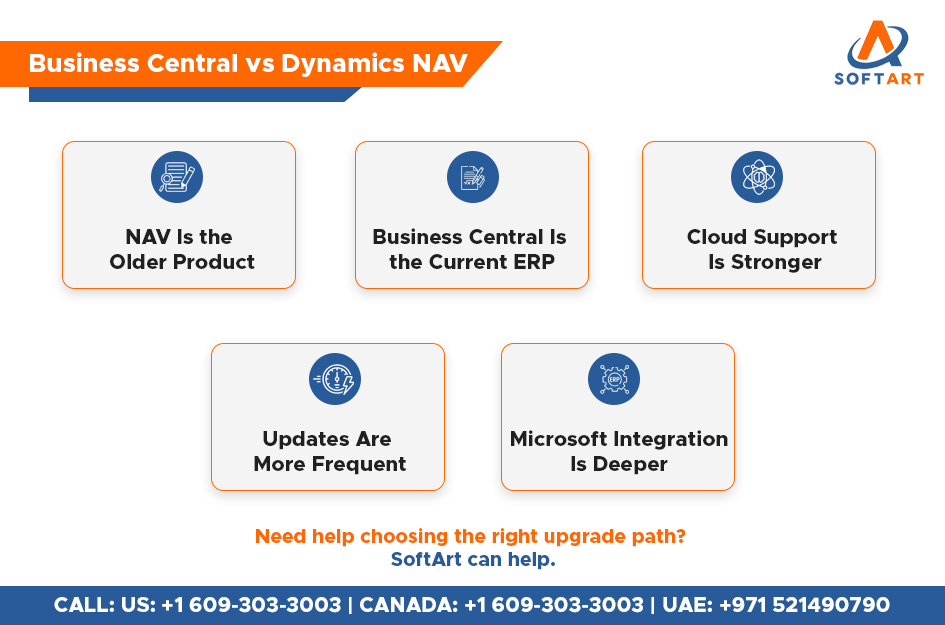
In practical terms, Business Central vs Dynamics NAV usually comes down to these differences:
- Business Central is more cloud-ready.
- Business Central has a more regular update cycle.
- Business Central supports a more modern customisation model.
- Business Central aligns better with Microsoft’s broader business ecosystem.
Business Central vs Dynamics NAV at a Glance
| Area | Dynamics NAV | Business Central |
|---|---|---|
| Product status | Older Microsoft ERP | Current Microsoft ERP |
| Deployment | Commonly on-premises | Cloud and on-premises |
| Update model | Larger, less frequent upgrades | Regular updates and release waves |
| Customisation style | Legacy customisation patterns | Modern extension-led model |
| Microsoft ecosystem alignment | More limited by older architecture | Stronger integration with current Microsoft tools |
| Product roadmap | Legacy path | Active product investment |
This is the clearest summary of Business Central vs Dynamics NAV for most business decision-makers. NAV can still be stable for some companies, but Business Central is where Microsoft’s long-term focus now sits.
Is Business Central Just a New Name for Dynamics NAV?
No. Business Central came from the NAV product line, but it is not just a renamed version of the same system.
That confusion is common because the product history is connected. Many businesses recognise the same ERP background, so they assume the difference is only branding. The reality is broader. Business Central keeps the NAV foundation, but it introduces a more modern deployment model, a different customisation approach, and a more active product roadmap.
The easiest way to understand it is this:
- Business Central is the successor to NAV.
- It keeps many familiar ERP capabilities.
- It introduces a more modern platform model.
- It is the ERP Microsoft is investing in for the future.
How Do Deployment Options Differ Between Business Central and Dynamics NAV?
Deployment is one of the biggest practical differences.
Dynamics NAV is strongly associated with traditional on-premises environments. Business Central supports both cloud and on-premises deployment, which gives businesses more flexibility when planning the future.
For businesses comparing options:
- NAV usually means a legacy on-premises setup.
- Business Central online supports a cloud-first model.
- Business Central on-premises is still available where required.
- The best choice depends on infrastructure, security needs, customisation levels, and long-term goals.
This is one reason businesses often look for Dynamics 365 Business Central consulting services before making a decision. The platform choice affects cost, maintenance, upgrades, and internal IT effort.
How Do Updates and Product Innovation Differ?
The update model is very different between the two.
NAV environments were often maintained through larger upgrade projects spaced far apart. Business Central follows a more active release pattern, which means businesses get improvements more often.
That usually gives Business Central users:
- more regular product improvements
- better visibility into future enhancements
- faster access to new capabilities
- a more current user experience
This matters because ERP is no longer something businesses want to leave unchanged for years. Companies now expect their systems to keep improving with the way they work.
How Do Customisation and Development Differ?
Customisation is another major area where the gap is clear.
Older NAV environments often depended on legacy development methods. That made some systems harder to upgrade and more expensive to maintain over time. Business Central supports a more modern extensibility approach, which usually makes upgrades cleaner and long-term maintenance easier.
Why this matters in practice:
- upgrades are easier to manage
- future maintenance becomes more predictable
- integrations are easier to support
- businesses reduce the risk of carrying old technical problems forward
This is where technical decisions start affecting real business outcomes such as support cost, flexibility, and upgrade effort.
How Do Microsoft Integration and Current Capabilities Compare?
Business Central is more closely aligned with Microsoft’s current business application ecosystem.
That often means better fit with tools and platforms many businesses already use. It also gives companies a clearer path if they want a more connected system landscape.
For many businesses, this creates stronger potential for:
- Microsoft 365 collaboration
- connected reporting tools
- Power Platform workflows
- easier integration patterns
- a more future-ready product direction
Older NAV environments can still do the job, but they are not positioned the same way within Microsoft’s current strategy.
When Should a Business Move from Dynamics NAV to Business Central?
A move becomes more relevant when the business wants a more future-ready ERP setup.
This usually happens when the business needs:
- a cloud-ready path
- more regular updates
- stronger Microsoft ecosystem alignment
- a cleaner long-term customisation model
- reduced dependence on legacy infrastructure
- a more practical support strategy
A company does not always need to move immediately, but it should understand the trade-offs of staying on NAV longer. The longer a legacy setup stays untouched, the harder future change can become.
When Do Dynamics 365 Business Central Consulting Services Become Important?
Dynamics 365 Business Central consulting services become important when a business needs clarity before making an upgrade or migration decision.
Consulting is especially useful when the business needs to:
- assess the current NAV setup
- review customisation complexity
- choose between cloud and on-premises options
- map migration risks and process changes
- plan data movement and reporting continuity
- prepare users for the transition
This is where Business Central vs Dynamics NAV becomes a real business decision, not just a software comparison.
Why Do Dynamics 365 Business Central Implementations Need a Structured Approach?
Dynamics 365 Business Central implementations need a structured approach because the move affects more than software. It can change reporting, permissions, finance workflows, integrations, customisations, and user adoption.
A strong implementation approach usually includes:
- migration assessment
- process review
- customisation review
- data migration planning
- testing and user training
- post-go-live support
Without structure, businesses risk carrying old NAV issues into a new Business Central environment.
Get Expert Help From SoftArt for Business Central Migration and Implementation
Understanding Business Central vs Dynamics NAV is the first step. The bigger question is what that difference means for your business, your users, and your ERP roadmap. The difference between Business Central and Dynamics NAV matters most when you are deciding whether to upgrade, migrate, modernise, or continue with a legacy setup that may no longer fit your future needs.
At SoftArt, we help businesses assess ERP readiness, plan practical migration paths, and execute structured rollouts with less disruption. Whether you need Dynamics 365 Business Central consulting services for planning and assessment or support for full Dynamics 365 Business Central implementations, our team can help you move toward a more stable and future-ready ERP environment.
Call SoftArt: US: +1 609-303-3003 | CANADA: +1 609-303-3003 | UAE: +971 521490790
Email: connect@softart.co
FAQs
What Is the Difference Between Business Central and Dynamics NAV?
Dynamics NAV is the older Microsoft ERP product, while Business Central is the current successor with stronger cloud support, more regular updates, and a more modern platform direction.
Is Business Central the Same as Dynamics NAV?
No. Business Central comes from the NAV product line, but it is not just a renamed version. It is the newer Microsoft ERP platform built for a more modern business environment.
Can Dynamics NAV Be Upgraded to Business Central?
Yes. Businesses can move from Dynamics NAV to Business Central, but the right path depends on the current version, deployment setup, and level of customisation.
Why Do Businesses Choose Business Central Over NAV?
Businesses often choose Business Central for stronger cloud readiness, more regular updates, deeper Microsoft alignment, and a more future-ready ERP platform.
When Should I Use Dynamics 365 Business Central Consulting Services?
Consulting becomes useful when you need help assessing your NAV setup, choosing a migration path, reviewing deployment options, and planning the move with less risk.