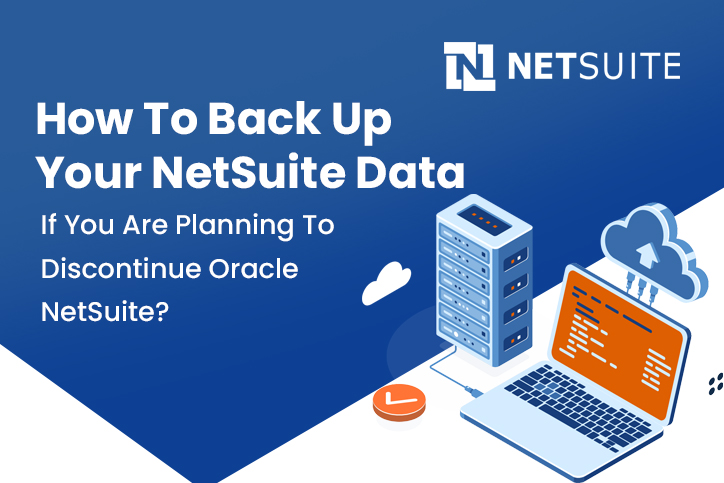
When businesses decide to discontinue Oracle NetSuite, the most important responsibility is protecting historical data before system access ends. NetSuite contains financial records, operational transactions, inventory history, customer information, and compliance documentation that businesses may need for years after leaving the platform.
Many companies assume their data will remain accessible indefinitely, but once a NetSuite subscription expires, system access may be restricted depending on the contract terms. That means organisations must plan how to extract and preserve their data in advance.
Understanding how to back up your NetSuite data ensures that financial history, operational records, and reporting data remain available even after NetSuite is no longer active. At SoftArt, we help businesses manage ERP transitions with structured exports, validation checks, and secure archival planning through reliable netsuite support services and guidance from experienced netsuite ERP implementation partners.
This guide explains what data must be backed up, the safest ways to extract it, and the steps businesses should follow before discontinuing the system.
Quick Answer: How To Back Up Your NetSuite Data?
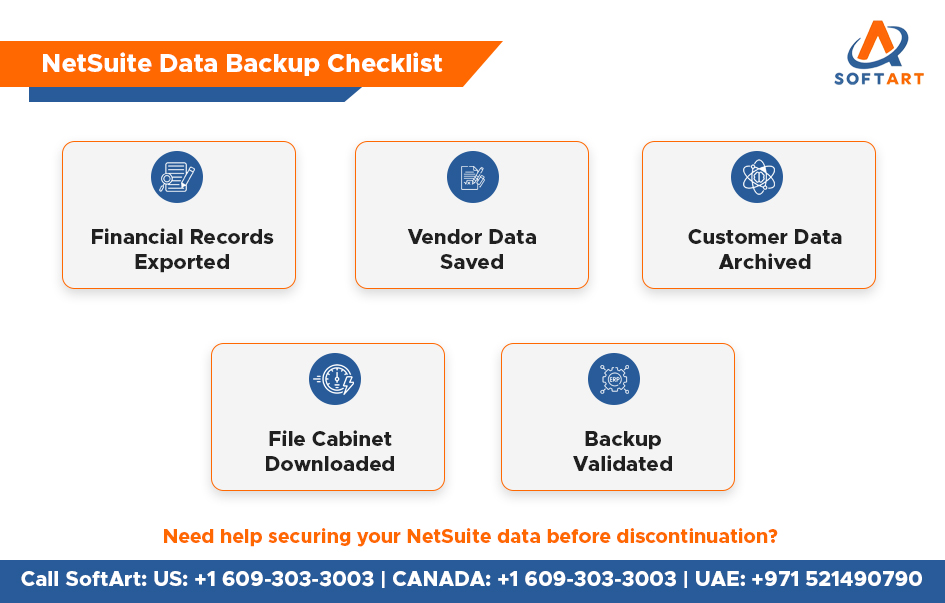
To back up NetSuite data before discontinuation, businesses should export financial reports, master records, transaction history, File Cabinet documents, and audit-related data before access ends. The safest approach includes saved search exports, report downloads, file extraction, validation checks, and secure storage outside NetSuite.
Why Backing Up NetSuite Data Is Essential Before Discontinuation?
NetSuite stores years of operational and financial activity inside a single ERP environment. If the platform is discontinued without exporting this information, businesses may lose access to critical records.
Backing up NetSuite data helps businesses:
- retain financial history for audits and statutory reviews
- preserve customer, vendor, and transaction records
- maintain operational continuity during ERP migration
- keep documents and attachments available outside NetSuite
- reduce reporting and compliance risk later
In many businesses, this is not optional. It is a governance and compliance requirement.
What Data Should Be Backed Up From NetSuite?
Before discontinuing NetSuite, businesses should identify all data required for operations, compliance, reporting, and future migration.
| Data Category | Examples |
|---|---|
| Financial Records | General ledger, journal entries, invoices, payments |
| Customer Data | Customer master, contacts, sales history |
| Vendor Data | Vendor profiles, purchase orders, payment history |
| Inventory Data | Item master, stock records, warehouse movements |
| Transaction Data | Sales orders, purchase orders, fulfilments |
| Employee Data | Employee records, expenses, approvals |
| Audit And System Data | Activity logs, role-based history, system notes |
| Documents | Contracts, receipts, attachments, uploaded files |
A complete backup should cover both structured records and supporting documents.
Which NetSuite Data Areas Are Most Often Missed During Backup?
The most commonly missed areas are not always the main transaction tables. Businesses often forget data that sits outside standard financial exports.
The most missed areas usually include:
- File Cabinet documents
- system notes and audit history
- custom records and custom fields
- saved search definitions
- role and permission setup
- workflow-related supporting data
If these are missed, the backup may look complete on paper but still be incomplete in practice.
How To Back Up Your NetSuite Data Safely
Backing up NetSuite data involves extracting multiple record types from different parts of the system. There is no single download that captures everything in one step.
1. Identify All Required Records
Start by creating a clear backup scope.
This usually includes:
- financial transactions and reports
- customer and vendor master data
- inventory and item records
- orders, billing, and procurement history
- employee, project, and operational records
A written export checklist helps prevent gaps.
2. Export Data Using NetSuite Saved Searches
Saved Searches are one of the most practical ways to export structured NetSuite data.
They are commonly used for:
- customer and vendor data
- sales and purchase transactions
- item records
- inventory activity
- open and historical transactional datasets
Exports are usually saved in CSV or Excel format for archiving and later use.
3. Export Financial Reports For Historical Accounting Records
Financial records must be preserved separately from operational lists.
Important reports usually include:
- General Ledger
- Trial Balance
- Profit And Loss
- Balance Sheet
- tax summaries and related schedules
These reports preserve the accounting trail that businesses may need years later.
4. Download Files Stored In The NetSuite File Cabinet
The File Cabinet often contains contracts, receipts, supporting documents, invoice attachments, and internal records that are not fully visible through transactional exports.
Those files should be downloaded and stored in a secure folder structure that mirrors business logic, such as by entity, year, or document type.
5. Extract Data Through APIs If Data Volumes Are Large
For large accounts, manual export may be too slow or incomplete.
Businesses with complex environments often use:
- SuiteTalk-based extraction
- SuiteAnalytics-based export access
- integration-led export methods
This is especially useful when large volumes, custom records, or migration requirements are involved.
6. Validate And Secure The Backup
A backup is only useful if it is complete and readable later.
Validation should include:
- matching record counts where possible
- reconciling report totals
- checking file readability
- confirming secure storage location
- documenting what was exported and when
This step prevents a false sense of completion.
Manual Export Vs Structured Backup Approach
| Approach | What Usually Happens |
|---|---|
| Manual export only | Key reports may be saved, but supporting data is often missed |
| Structured backup approach | Financial, operational, document, and audit-related data are exported and validated properly |
This is why businesses planning discontinuation should treat backup as a mini project, not a last-minute task.
What Happens If NetSuite Data Is Not Backed Up Before Discontinuation?
If NetSuite data is not backed up before access ends, businesses may face immediate and long-term issues.
Common risks include:
- lost access to audit-ready financial history
- missing customer or vendor transaction records
- incomplete migration into the next ERP
- reporting gaps during management review
- missing compliance documentation
For most organisations, these are avoidable risks if the backup is planned early.
What Should A Good NetSuite Backup Deliver To The Reader?
A good NetSuite backup should not only copy data. It should leave the business with records that are actually usable.
A strong backup should deliver:
- readable exports
- complete historical coverage
- organised file storage
- validated totals
- migration-ready datasets where needed
- confidence that records can be retrieved later
This is the real answer the reader usually needs. Not just how to export data, but how to preserve business continuity.
How Netsuite Support Services Help During Data Backup?
Reliable netsuite support services help businesses organise the backup process and reduce the risk of missing critical data.
Support teams usually help with:
- defining what must be exported
- building saved searches for extraction
- exporting reports and transaction history
- validating totals and archive quality
- organising data for long-term storage
This makes the process more controlled and far less risky.
Why Netsuite ERP Implementation Partners Matter During ERP Transitions?
Experienced netsuite ERP implementation partners become especially important when the business is moving to another ERP after NetSuite.
They usually help with:
- understanding how NetSuite data is structured
- deciding what data must move and what should be archived
- cleaning records before migration
- protecting finance and reporting continuity
- reducing migration risk in the next system
That is why backup and migration planning should often happen together.
Get Expert Help From SoftArt To Secure Your NetSuite Data
Understanding How to back up your NetSuite data is critical if you are planning to discontinue Oracle NetSuite. The goal is not only to export files. It is to preserve financial history, operational records, reporting continuity, and compliance evidence in a format your business can still use later.
At SoftArt, we help businesses manage ERP transitions with structured netsuite support services and practical guidance from trusted netsuite ERP implementation partners. Our team supports data extraction, validation, archival planning, and migration readiness so that your records remain secure and usable even after NetSuite access ends.
Call SoftArt: US: +1 609-303-3003 | CANADA: +1 609-303-3003 | UAE: +971 521490790
Email: connect@softart.co
FAQs
How To Back Up Your NetSuite Data Before Discontinuing The System?
Businesses should export financial reports, master records, transaction history, File Cabinet documents, and audit-related data before NetSuite access ends.
Can I Access NetSuite Data After Cancelling My Subscription?
Access may be restricted after the contract expires, so businesses should not rely on future access and should export required records in advance.
What Is The Best Way To Export NetSuite Data?
The best approach combines saved searches, financial report exports, File Cabinet downloads, and API-based extraction where data volumes are large.
Do I Need Netsuite Support Services To Back Up NetSuite Data?
Support services help ensure the export is complete, validated, and organised properly for long-term access or migration.
Why Work With Netsuite ERP Implementation Partners During ERP Migration?
They help structure the extraction, protect data quality, and keep records usable when moving into a new ERP environment.