NetSuite AI features can help automate tasks and improve business processes, but what you can use depends on your subscription and setup. When estimating NetSuite license cost in the USA, look beyond the base license. Additional modules, AI Units, usage limits, and integration requirements can all affect your overall cost.
One thing to keep in mind: having access to an AI feature doesn’t always mean your subscription includes enough usage to run it at the level your business needs.
Before investing in NetSuite AI, review your current licensing, identify where AI can make a practical difference, and check whether your existing setup supports those use cases. Working with experienced NetSuite partners in the USA can help you assess these requirements, avoid unnecessary licensing costs, and plan for future growth.
What NetSuite AI Can Do for Your Business
NetSuite AI capabilities are designed to help users work with business information and complete certain tasks more efficiently.
One example is Ask Oracle, a conversational AI assistant being introduced through NetSuite’s evolving AI experience. Where available, users can ask questions in everyday language instead of navigating multiple menus or manually assembling reports.
For example, a finance manager might ask:
- Show me all overdue customer invoices.
- Which product lines generated the highest sales last quarter?
- Summarize our open purchase orders.
- How do I create a credit memo in NetSuite?
Ask Oracle can help retrieve relevant information, analyze business data, and present answers or visualizations. Availability depends on the account’s eligibility, configuration, and enabled features. AI-generated answers should also be reviewed before they inform financial or operational decisions.
Other NetSuite AI capabilities can support tasks such as improving business text, summarizing customer cases, generating narrative insights, and assisting with transaction matching.
The practical question is which of these capabilities your business can actually use under its current subscription.
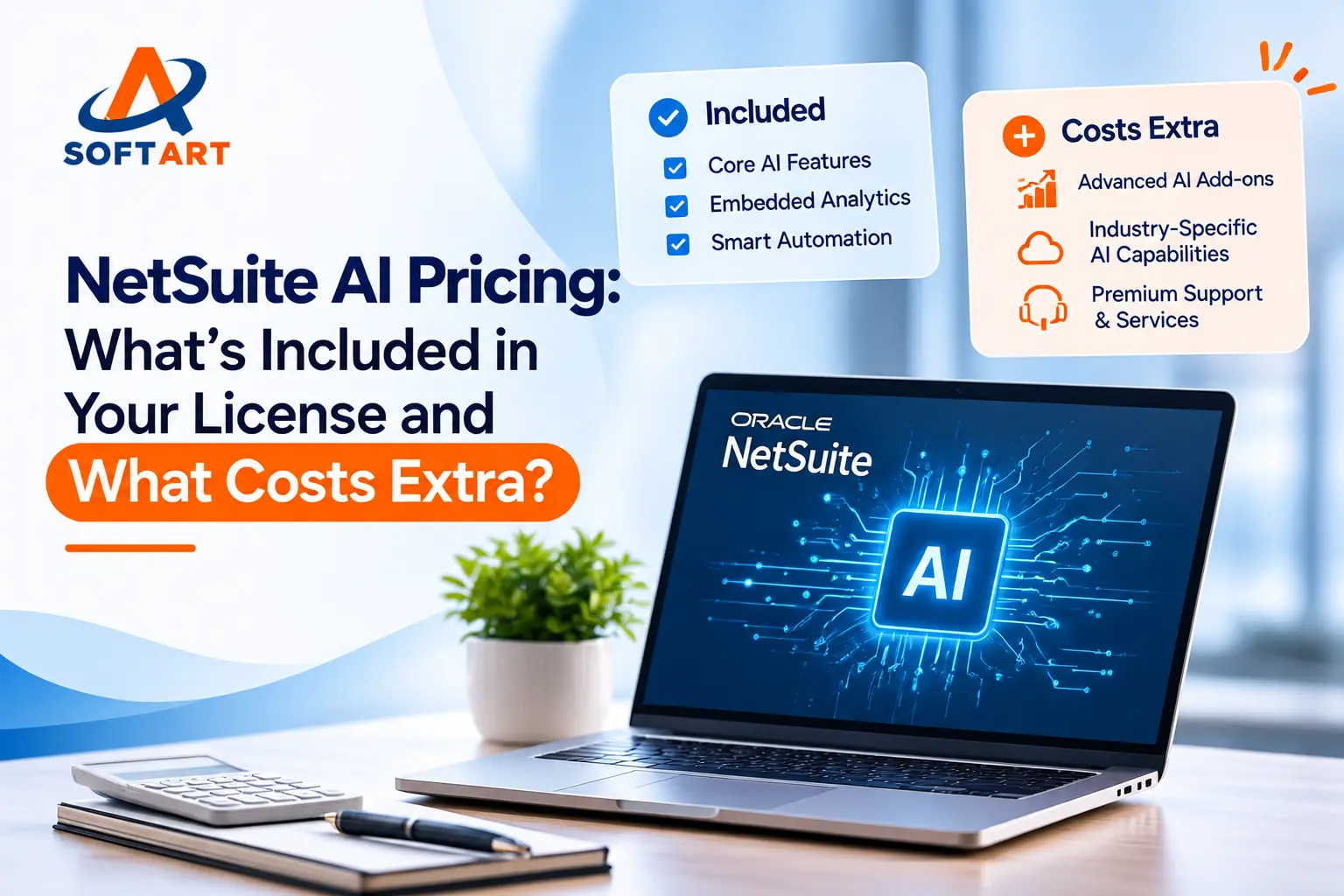
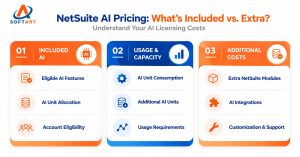
What Is Included, and What Could Cost Extra?
Use this comparison when reviewing your NetSuite AI requirements.
| Requirement | What to check |
|---|---|
| Built-in AI features | Account eligibility, feature availability, and AI Unit consumption |
| Additional AI usage | Available AI Unit balance and the cost of additional capacity |
| Extra NetSuite modules | Separate subscription or licensing requirements |
| External AI tools | Provider fees, integration, security, and maintenance |
| Custom AI workflows | Development, testing, ongoing support, and integration costs |
Not every AI-enabled NetSuite product follows the same usage model. Some capabilities consume AI Units, while certain separately licensed products and external AI integrations operate under different arrangements.
Do not assume that every AI feature is free with your current license—or that every feature requires an additional AI purchase. Confirm the terms applicable to your specific account.
How Do NetSuite AI Units Work?
AI Units measure usage for supported NetSuite AI features. Eligible NetSuite General Access Cloud Service User and Social Impact Cloud Service User licenses receive an allocation calculated at 1,000 AI Units per subscription-term month.
The full-term allowance is provisioned upfront rather than replenished every month. Eligible allocations are pooled at the account level, and usage depends on the feature and the processing required.
For example, 10 eligible users on a 36-month subscription term would receive 360,000 AI Units. Those units are available throughout the term; unused units do not carry over when the term ends.
Additional packages of 10,000 and 25,000 pooled AI Units are listed as available for purchase. If the account exhausts its pool, access to some AI functionality may be limited until additional units are purchased.
These figures describe the allocation model, not the monetary price of AI usage. Your actual allowance and commercial terms should be confirmed for your subscription.
NetSuite AI Cost Estimation: A Practical Example
Suppose a business has 10 eligible NetSuite users on a three-year subscription and wants to introduce AI-assisted reporting and customer service summaries. Here is how the business could estimate its budget:
| Cost component | Example estimate |
|---|---|
| Eligible AI Unit allocation | 360,000 units over 36 months |
| Additional AI Units | Confirm whether the included pool is sufficient |
| Separate modules | Add only if required and not already licensed |
| Integration or customization | Obtain a project estimate if changes are needed |
| Training and ongoing support | Budget according to the implementation scope |
Illustrative monetary budget: Suppose the business receives a quote of $3,000 for additional AI capacity, $4,000 for integration work, and $1,000 for training. Its additional first-year project budget would be $8,000, excluding any other applicable subscription fees or taxes.
These dollar amounts are hypothetical planning figures, not Oracle NetSuite prices or a quote from SoftArt Solutions. Oracle’s actual AI Unit package pricing and any applicable licensing fees must be confirmed before making a purchasing decision.
The example illustrates why businesses should estimate the full cost—not just the AI feature itself.
Before You Invest in NetSuite AI, Check Your ERP Foundation
AI works best when the underlying business data, integrations, and workflows are reliable. If information is duplicated across systems or important processes are inconsistent, introducing AI will not automatically fix those problems.
SoftArt Solutions has experience helping businesses establish that foundation.
For example, SoftArt implemented NetSuite financial management and planning for La Jolla Beach & Tennis Club, including data migration and more than five integrations across operational systems. SoftArt also helped Hometown Pharmacies recover a stalled NetSuite implementation and integrate pharmacy operations with an ecommerce platform.
These were ERP implementation and integration projects, not AI implementations. Their relevance is straightforward: before investing in AI, make sure your ERP environment can support the processes and data you want AI to work with.
Plan Your NetSuite AI Investment with Confidence
Before purchasing additional capacity or starting an AI project, establish which features are available, estimate expected usage, and identify any licensing, integration, and support requirements.
Not sure whether your current NetSuite license cost covers your AI plans? Our Oracle NetSuite consulting team at SoftArt Solutions can help review your existing environment, intended use cases, integration requirements, and implementation priorities.
Talk to SoftArt Solutions about your NetSuite environment.
Frequently Asked Questions
1. Does NetSuite AI cost extra?
Not always. Some AI capabilities may be available through eligible subscriptions, while additional AI Units, separate modules, external services, or customization may add costs. Your account’s terms determine what applies.
2. Do NetSuite AI Units reset every month?
No. For eligible user licenses, the allowance is calculated across the subscription term and provisioned upfront. Unused units expire at the end of that term.
3. How can I estimate my NetSuite AI budget?
Start with your included AI Unit allocation and expected usage. Then account for any additional capacity, separate licenses, integration work, training, and ongoing support. Obtain actual commercial pricing before approving the budget.
4. Is Ask Oracle available to every NetSuite customer?
No. Availability depends on the account’s eligibility, rollout status, configuration, and enabled features. Ask your NetSuite administrator or partner to confirm whether your account can access it.
5. Should I implement AI before fixing ERP integrations?
Usually, it is better to assess data quality and integration reliability first. Resolving gaps in business processes can help ensure that AI features have access to consistent, useful information.
**NetSuite features, eligibility, and licensing terms can change. Confirm the terms for your account before purchasing additional services.