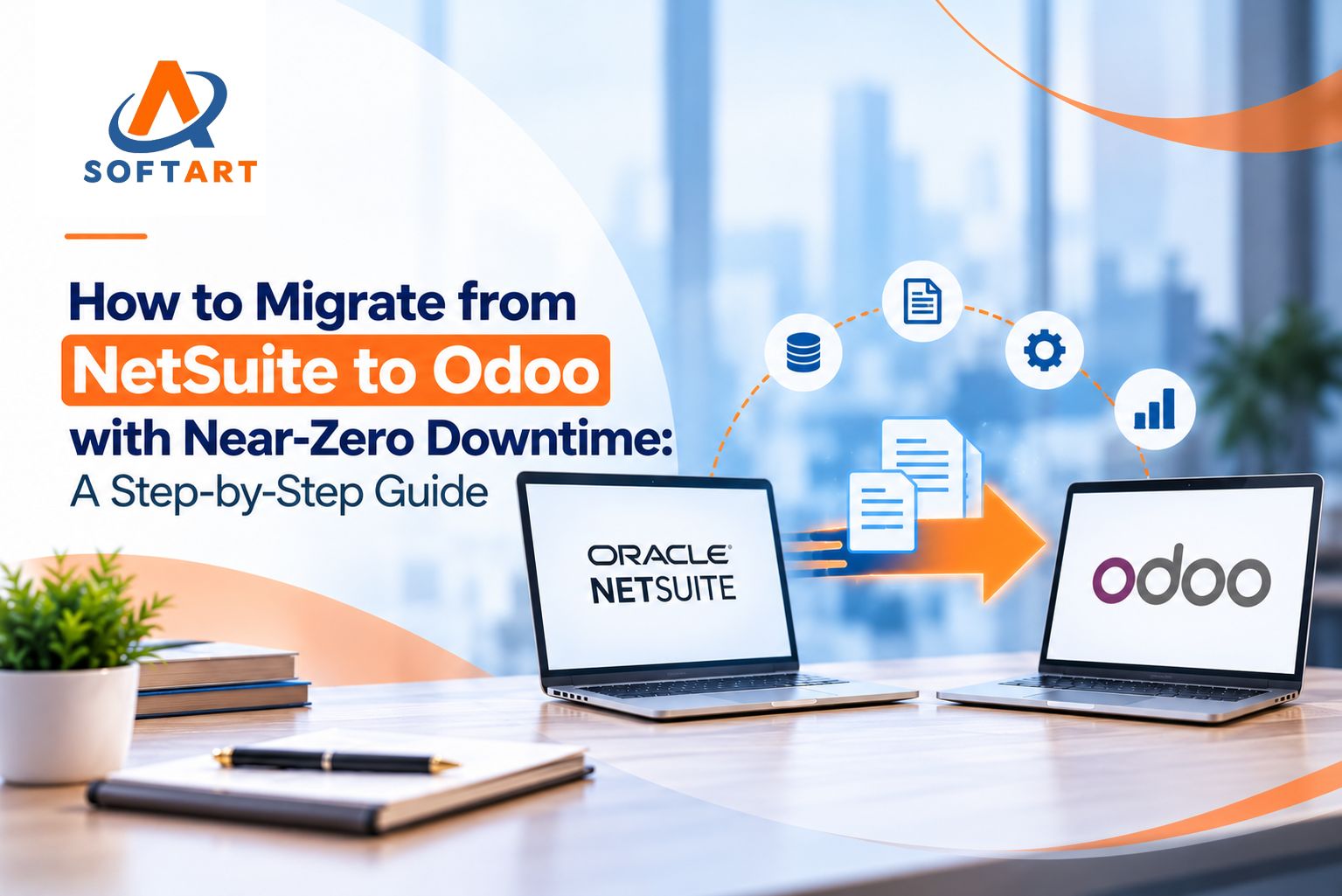
Migrating from NetSuite to Odoo is a significant ERP decision. Businesses may consider the move because of rising costs, excessive customization, complex workflows, disconnected systems, or the need for greater flexibility.
But the biggest question is often: How can you migrate from NetSuite to Odoo without disrupting business operations?
The answer is not simply exporting data and importing it into Odoo. A successful NetSuite to Odoo migration service requires proper planning, data mapping, system configuration, customization, integration testing, reconciliation, and a controlled cutover.
Here is a practical step-by-step approach.
Can You Migrate from NetSuite to Odoo Without Downtime?
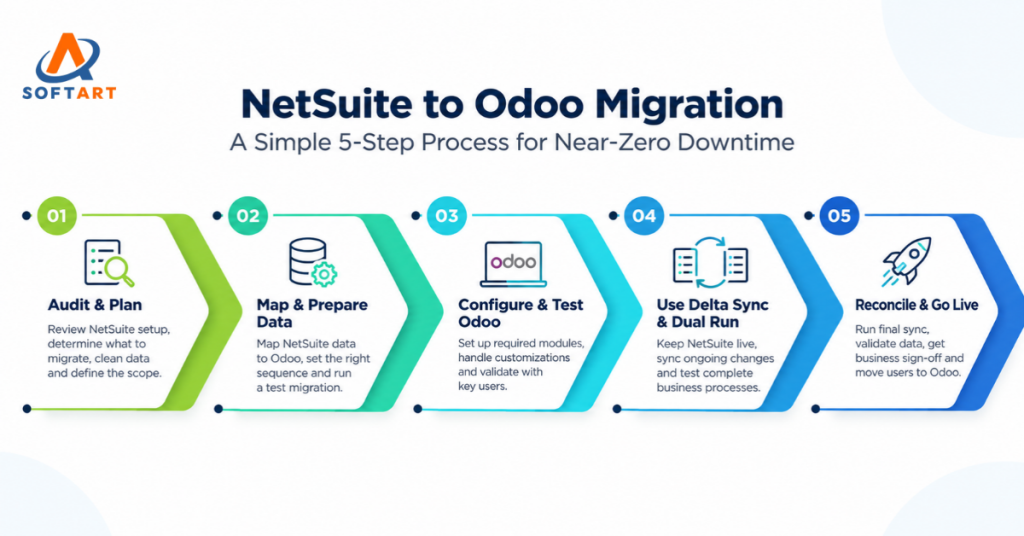
A completely zero-second interruption can be difficult to guarantee, particularly for complex ERP environments. However, businesses can achieve near-zero operational disruption by keeping NetSuite live while Odoo is prepared, conducting test migrations, using delta synchronization, and carefully planning the final cutover.
The objective is to make the transition controlled and predictable rather than rushing to switch systems.
1. Audit Your NetSuite Environment
Before starting the migration, document your existing NetSuite environment.
Review:
- Modules and workflows
- Customers, vendors, and products
- Financial and accounting structures
- Custom fields and records
- SuiteScripts and SuiteFlow workflows
- Reports and dashboards
- Third-party integrations
- Historical and transactional data
This audit helps determine what should be migrated, redesigned, replaced, or retired.
Not every NetSuite customization needs to be recreated in Odoo. Some processes may already be available through standard Odoo functionality, while others may require Odoo customization services.
2. Define Your Odoo Data Migration Scope
The next step is deciding what data needs to move.
Typical Odoo data migration may include:
- Customers and vendors
- Products and pricing
- Inventory and warehouses
- Open sales and purchase orders
- Invoices and bills
- Payments and outstanding balances
- Accounting data and opening balances
- Selected historical transactions
Moving every historical record is not always necessary. The right approach depends on reporting, compliance, operational, and business requirements.
Cleaning duplicate, outdated, or inconsistent records before migration is equally important. Poor-quality source data can create problems in Odoo even when the technical migration succeeds.
3. Map NetSuite Data to Odoo
NetSuite and Odoo use different data structures, so field mapping should be completed before production migration. For example:
| NetSuite | Odoo |
|---|---|
| Customers | Contacts / Customers |
| Vendors | Contacts / Vendors |
| Items | Products |
| Sales Orders | Sales Orders |
| Purchase Orders | Purchase Orders |
| Invoices | Customer Invoices |
| Vendor Bills | Vendor Bills |
| Locations | Warehouses / Locations |
| Subsidiaries | Companies |
Mapping should also define data transformations, mandatory fields, dependencies, and validation rules. This step reduces duplicate records, missing relationships, incorrect balances, and failed imports.
4. Configure and Test Odoo
Odoo should be configured while NetSuite continues operating as the production ERP.
Depending on your requirements, this may include:
- Odoo CRM
- Sales
- Accounting
- Inventory
- Purchase
- Manufacturing
- eCommerce
- Helpdesk
- Reporting
Your Odoo implementation services should focus on recreating essential business processes—not simply copying NetSuite’s existing complexity.
Where standard Odoo functionality is insufficient, Odoo customization services can be used to support specific workflows.
Teams can also review an Odoo ERP demo to understand workflows and validate business requirements before finalizing the configuration.
5. Perform Test Migrations and Delta Synchronization
Never make the production migration your first migration.
A test cycle should follow:
Extract → Clean → Transform → Import → Validate → Correct → Repeat
Check customer records, products, inventory, orders, invoices, accounting balances, and relationships.
Because NetSuite may continue processing transactions during Odoo preparation, you also need to account for new or modified records.
Delta synchronization allows changes made after the initial migration to be transferred without repeatedly migrating the entire dataset.
The final process can therefore look like:
Initial Migration → Testing → Delta Sync → Reconciliation → Final Cutover
This can significantly reduce the final freeze window and minimize operational disruption.
6. Rebuild and Test Integrations
ERP migrations become more complex when NetSuite connects with other platforms.
Review integrations with:
- eCommerce platforms
- Payment gateways
- Shipping systems
- WMS and EDI platforms
- Banks
- Tax systems
- Marketplaces
- CRM and reporting tools
Existing integrations may need to be rebuilt, replaced, or redesigned for Odoo.
Businesses with complex environments may benefit from Odoo integration services USA to validate authentication, data mapping, synchronization, error handling, and duplicate prevention.
7. Reconcile and Execute the Final Cutover
Before go-live, compare critical information between NetSuite and Odoo.
Validate:
- Inventory balances
- Accounts receivable and payable
- Open orders
- Invoices
- Customer and vendor records
- Accounting balances
- Integration status
Define clear go/no-go criteria before the final cutover.
The final process typically involves freezing selected transactions in NetSuite, running the final delta migration, reconciling critical data, validating integrations, approving go-live, and moving users to Odoo.
8. Support Users After Go-Live
Migration does not end when Odoo goes live.
Monitor integrations, accounting, inventory, workflows, reports, and user issues during the initial post-go-live period.
Role-specific training can also help employees adapt to new processes and improve Odoo adoption.
How Long Does a NetSuite to Odoo Migration Take?
There is no fixed timeline. It depends on data volume, number of modules, integrations, customizations, subsidiaries, historical data, and business complexity.
A detailed discovery and migration assessment should be completed before committing to a project timeline.
Planning a NetSuite to Odoo Migration?
A successful migration requires more than moving data. It requires ERP assessment, Odoo data migration, implementation, customization, integration planning, testing, and controlled cutover.
With 22+ years of ERP experience, SoftArt Solutions helps businesses plan and execute Odoo transformation projects with a structured approach to migration, implementation, integrations, and post-go-live support.
Looking for an Odoo implementation partner or Odoo consulting services USA? Start with a detailed assessment of your current NetSuite environment and migration requirements.
FAQs
Can NetSuite be migrated to Odoo without downtime?
Near-zero operational disruption can be achieved through test migrations, delta synchronization, reconciliation, and controlled cutover, although absolute zero downtime cannot always be guaranteed.
What data can be migrated from NetSuite to Odoo?
Customers, vendors, products, inventory, open orders, invoices, payments, accounting balances, and selected historical data can typically be migrated depending on project requirements.
Can NetSuite customizations be moved to Odoo?
Customizations should be assessed individually. Some can be recreated, some replaced with standard Odoo functionality, and others redesigned to better support current business processes.
How much does NetSuite to Odoo migration cost?
Cost depends on data volume, implementation scope, integrations, customizations, historical data, testing, and training requirements. A detailed assessment is needed for an accurate estimate.
How long does NetSuite to Odoo migration take?
The timeline varies by business complexity. Data volume, integrations, customizations, accounting requirements, and the number of Odoo modules all affect the migration timeline.