ERP go-live issues are often caused by poor data migration, not software problems. Missing records, wrong balances, duplicate masters, and weak validation can delay operations and reduce user trust from day one.
Here is the direct answer. A reliable ERP data migration checklist ensures your data is clean, governed, mapped, tested, validated, and monitored before and after go-live. Following structured ERP data migration steps reduces risk, protects reporting accuracy, and supports smoother adoption.
At SoftArt, we support businesses through erp migration services and oracle erp cloud implementation with a focus on clean data, controlled rollout, secure access, and audit-ready reporting.
Read on to see the 10 steps every business should complete before ERP go-live.
What Is ERP Data Migration and Why Does It Matter Before Go-Live?
ERP data migration means moving business data from legacy systems into a new ERP in a planned, secure, and validated way. It matters because:
- Transactions depend on accurate master data.
- Reports depend on correct balances.
- Users depend on clean data to trust the system.
- Compliance depends on traceable records.
If migration is wrong, go-live can fail even when the ERP setup is technically correct. Modern ERP migration guidance highlights field mapping, governance, validation, and post-go-live monitoring as core success factors.
ERP Data Migration Checklist: 10 Things To Do Before Go-Live
This checklist covers the essential ERP data migration steps needed before go-live.
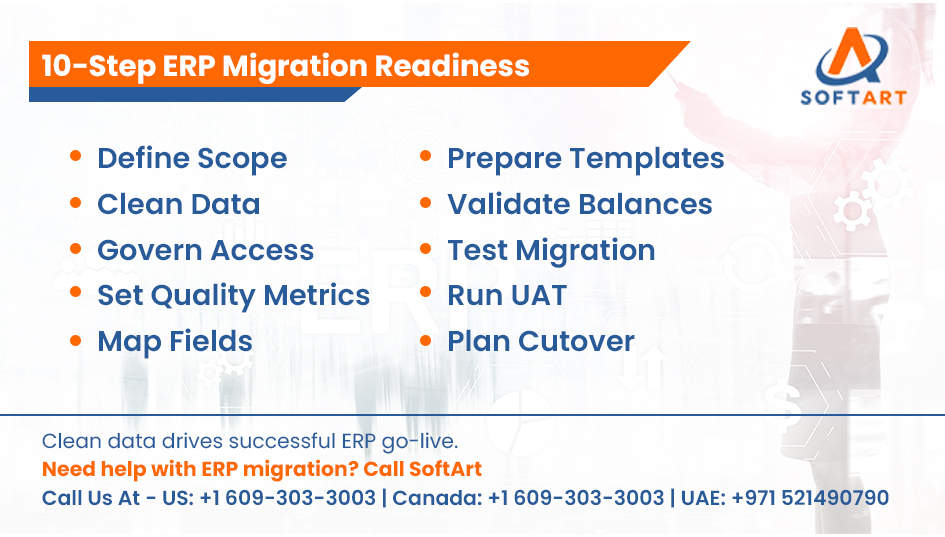
1. Finalise Migration Scope
Decide exactly what data will move into the new ERP. Include:
- Customer, vendor, and item master data
- Opening balances
- Open invoices and purchase orders
- Inventory balances
- Historical data, if required
Clear scope prevents teams from migrating too much, too little, or the wrong data.
2. Clean And Standardise Legacy Data
Clean the data before expecting the new ERP to manage it. Check for:
- Duplicate customer or vendor records
- Inconsistent naming formats
- Missing mandatory fields
- Obsolete items or inactive accounts
- Wrong units of measure
Data quality issues should be fixed before migration, not after go-live. Recent ERP migration guidance also stresses the need to resolve duplicate records, inconsistent formats, and incomplete mandatory fields during pre-migration cleansing.
3. Define Data Governance And Access Control
Data governance decides who owns, approves, protects, and validates each data set. Set clear rules for:
- Data ownership
- Approval responsibility
- Role-based access
- Sensitive data handling
- Compliance review
This step is especially important in 2026 because ERP data now supports reporting, automation, AI features, and cross-system integrations. SAP’s migration guidance also highlights data governance and ownership as a key migration requirement.
4. Set Data Quality Benchmarks
Do not rely on a general statement like “data is clean.” Define measurable quality checks. Track:
- Accuracy
- Completeness
- Duplicate rate
- Mandatory field completion
- Balance reconciliation
- Error count after test migration
Data quality dashboards and measurable quality indicators are now common in modern ERP migration planning.
5. Map Legacy Fields To ERP Structure
Map old system fields to the new ERP structure before upload. Include:
- Chart of accounts mapping
- Customer and vendor fields
- Item and inventory structure
- Tax and location fields
- Transaction references
Careful field mapping helps prevent data from landing in the wrong place. ERP migration best practices consistently treat field mapping as a core requirement before migration.
6. Prepare Data Templates For Upload
Use ERP-specific templates so data is uploaded in the correct format. Templates should define:
- Required fields
- Optional fields
- Accepted formats
- Data type rules
- Upload sequence
Templates reduce import errors and help teams prepare data consistently.
7. Validate Opening Balances And Key Reports
Financial data must be checked before migration is accepted. Validate:
- Trial balance
- General ledger balances
- Customer ageing
- Vendor ageing
- Inventory valuation
- Sub-ledger totals
Opening balances must match the legacy system before the business goes live.
8. Test Migration In A Sandbox
Run test migrations before the final cutover. Testing should include:
- Uploading sample and full data sets
- Checking import errors
- Reviewing reports
- Validating workflows
- Running real business scenarios
Oracle migration guidance recommends mock migration cycles to identify data issues before go-live. Oracle A-Team guidance also recommends at least two mock migration cycles and post-migration functional testing before final cutover.
9. Perform User Acceptance Testing With Migrated Data
Users should test the ERP using migrated data, not empty screens or dummy records. Ask users to validate:
- Customer records
- Vendor records
- Item data
- Reports
- Workflows
- Transactions
UAT confirms whether data works in real business processes. Recent Oracle implementation guidance also treats UAT completion, data migration readiness, and open issue review as key go-live decision factors.
10. Freeze Legacy Data And Plan Final Cutover
Before final migration, freeze legacy data and define the go-live sequence. Plan:
- Final data extraction
- Delta migration
- Backup files
- Cutover timing
- Rollback plan
- Go or no-go approval
For large or multi-entity businesses, phased or incremental migration may be safer than one large move. Oracle cloud migration guidance also supports phased cloud journeys where data migration learnings from a pilot rollout can support later rollouts.
What Are The Most Common ERP Data Migration Mistakes?
Most ERP migration mistakes happen because teams rush data preparation or skip validation. Common mistakes include:
- Migrating unnecessary historical data
- Ignoring data cleanup
- Skipping data governance
- Not defining quality metrics
- Poor field mapping
- Skipping mock migrations
- No UAT with migrated data
- No rollback plan
- No post-go-live monitoring
Most migration failures are planning failures.
How Do ERP Migration Services Help Reduce Risk?
ERP migration services help by managing data preparation, validation, testing, and cutover in a structured way. They typically include:
- Data assessment
- Data cleansing
- Field mapping
- Migration templates
- Test migration cycles
- Validation and reconciliation
- UAT support
- Go-live execution
- Post-migration support
These services help businesses follow proper ERP data migration steps without missing critical checkpoints.
How Does Data Migration Fit Into Oracle ERP Cloud Implementation?
In oracle erp cloud implementation, data migration is a core phase between configuration and go-live. It ensures:
- Accurate financial reporting
- Clean master data
- Valid opening balances
- Reliable transaction history
- Smooth user adoption
Oracle has published cloud ERP data migration recommendations and best practices to help customers move legacy data into Oracle Cloud ERP more safely.
When Should You Start ERP Data Migration Planning?
Start migration planning at the beginning of the ERP project, not just before go-live. Early planning helps:
- Identify data issues
- Define scope clearly
- Assign data owners
- Plan security and access
- Reduce last-minute risks
Migration should run alongside implementation, not after it.
What Should You Monitor After ERP Go-Live?
Post-go-live monitoring ensures migrated data remains accurate after users start working in the live ERP. Track:
- Transaction accuracy
- Report consistency
- Duplicate creation
- Integration errors
- User entry mistakes
- Balance mismatches
- Workflow failures
Modern migration guidance highlights post-migration monitoring, dashboards, and optimisation as important parts of long-term data quality management.
How Is AI Changing ERP Data Migration In 2026?
AI is beginning to support ERP migration by improving mapping, validation, and error detection. AI-assisted migration can help with:
- Field mapping suggestions
- Duplicate detection
- Anomaly identification
- Faster validation review
- Data quality scoring
AI does not replace human review. It helps teams find errors faster and improve migration confidence. Recent ERP and Oracle Cloud ERP migration discussions increasingly mention AI-enabled validation, audit readiness, and automated anomaly detection as emerging practices.
Get Expert Help From SoftArt For ERP Data Migration
A strong ERP data migration checklist is the difference between a smooth go-live and a difficult one. Data must be clean, governed, validated, tested, and monitored after launch.
At SoftArt, we deliver structured erp migration services and support oracle erp cloud implementation with a focus on data accuracy, access control, reconciliation, and controlled rollout. Our team helps you move to go-live with cleaner data and fewer surprises.
Contact SoftArt
Email: info@softart.co
Call Us At – US: +1 609-303-3003 | Canada: +1 609-303-3003 | UAE: +971 521490790
FAQs
What Is An ERP Data Migration Checklist?
An ERP data migration checklist is a step-by-step plan used to clean, map, validate, test, and move data into a new ERP before go-live. It helps reduce reporting errors, missing records, and failed transactions.
What Are The Key ERP Data Migration Steps?
The key ERP data migration steps include defining scope, cleaning data, setting governance, mapping fields, validating balances, testing migration, running UAT, freezing legacy data, and monitoring after go-live.
Why Is Data Governance Important In ERP Migration?
Data governance defines who owns, approves, protects, and validates each data set. It reduces confusion and improves compliance, security, and accountability during migration.
How Do ERP Migration Services Help?
erp migration services help with data assessment, cleansing, mapping, testing, validation, cutover, and post-go-live support. They reduce migration risk and help businesses avoid missing critical records.
How Does Data Migration Fit Into Oracle ERP Cloud Implementation?
In oracle erp cloud implementation, data migration ensures master data, balances, transactions, and reports are accurate before go-live. Without clean migration, users may face reporting errors and process delays.
What Should Be Monitored After ERP Go-Live?
After go-live, businesses should monitor transaction accuracy, reporting consistency, integration errors, duplicate records, and balance mismatches. Post-go-live monitoring helps catch issues early before they affect operations.