Many businesses are hearing about AI agents in ERP, but they are not always clear on what these agents actually do inside Business Central. Some think they are only chat assistants. Others assume they can fully run finance or sales without human review. Both views miss the real value.
Here is the direct answer. AI Agents in Dynamics 365 Business Central are intelligent assistants that can help users complete tasks, analyse data, process documents and automate selected business workflows. Microsoft already supports Copilot and agent capabilities in Business Central online, including Sales Order Agent and Payables Agent. At SoftArt, we help businesses assess where AI fits, how to prepare data and how to roll out agents with the right controls.
Read on to understand what these agents do, where they help and when expert support becomes important.
What Are AI Agents In Dynamics 365 Business Central?
AI agents in Dynamics 365 Business Central are intelligent capabilities that help users complete work faster, automate selected tasks and act on business data inside the ERP.
Microsoft describes Copilot in Business Central as an assistant that helps users be more productive, reduce tedious tasks and use AI across business functions. Business Central also includes agent capabilities that go beyond simple suggestions and help move specific workflows forward.
In simple terms, Business Central now has two AI layers:
- Copilot features that assist users with tasks
- AI agents that can support defined business processes
This means Business Central AI agents are not just another reporting feature. They are part of Microsoft’s wider shift toward agentic business applications.
Which Business Central AI Agents Are Available Today?
The most important Business Central AI agents currently highlighted by Microsoft are Sales Order Agent and Payables Agent.
| Agent | What It Helps With |
|---|---|
| Sales Order Agent | Captures sales requests from email and helps create sales documents |
| Payables Agent | Processes vendor invoices and supports accounts payable work |
Sales Order Agent analyses customer requests received by email, finds the customer in Business Central, checks item availability and can follow up by email when details are missing. It then helps create sales quotes or order related documents.
Payables Agent supports vendor invoice processing. Microsoft says it helps reduce accounts payable bottlenecks by registering invoices correctly with minimal setup, though it still needs configuration and activation.
These agents show how AI Agents transforming D365 Business Central are moving from simple assistance to process support.
What Copilot Features Support AI Agents In Business Central?
Copilot features support AI agents by helping users search, analyse, summarise, reconcile and create business content inside Business Central.
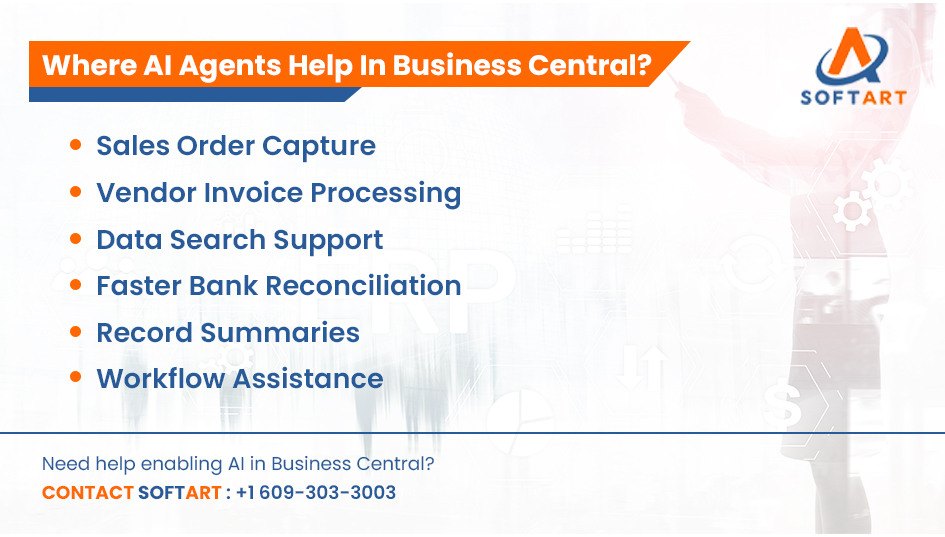
Microsoft lists several Copilot related capabilities for Business Central, including Chat with Copilot, Analyse Data in Lists, Autofill, Marketing Text, Bank Reconciliation, Sales Order Agent, Sales Line Suggestions, Number Series Suggestions and Summarise.
Common Copilot capabilities include:
- Chat with Copilot
- Analyse data in lists
- Autofill fields
- Create marketing text
- Reconcile bank accounts
- Suggest sales lines
- Suggest item substitutions
- Suggest number series
- Summarise records
This is important because not every AI feature is an autonomous agent. Some features assist users, while agents take on a more active role in a specific workflow.
How Are AI Agents Transforming D365 Business Central?
AI agents are transforming D365 Business Central by reducing manual work, improving response speed and helping teams act on ERP data faster.
The biggest changes appear in areas where teams repeat the same work every day.
Examples include:
- Sales teams processing customer emails
- Finance teams handling vendor invoices
- Users searching for records and explanations
- Teams analysing list data
- Staff summarising customers, orders or items
- Finance users reconciling bank transactions
This is where AI Agents transforming D365 Business Central becomes practical. The value is not only automation. The value is faster action with better visibility inside the ERP.
What Business Functions Benefit Most From AI Agents?
The business functions that benefit most are sales, finance, operations and reporting.
| Business Function | AI Value |
|---|---|
| Sales | Faster quote and order handling |
| Finance | Vendor invoice and reconciliation support |
| Operations | Better visibility into item and stock data |
| Management | Faster summaries and analysis |
| Customer Service | Quicker access to account and order information |
For example, Sales Order Agent helps sales teams respond to requests faster. Payables Agent helps finance teams reduce invoice processing delays. Copilot features help users find and understand information without switching between multiple screens.
What Are The Limits Of AI Agents In Business Central?
AI agents are useful, but they still depend on data quality, permissions, setup and human review.
Businesses should not treat agents as a replacement for governance. They work best when the ERP is already structured correctly.
Key limits include:
- Agents need clean master data
- Users still need access control
- Outputs should be reviewed
- Workflows must be configured
- Availability can vary by region and language
- Some capabilities require administrator activation
Microsoft says Copilot is available in Business Central online, and Copilot and agent capabilities are managed by administrators. Microsoft also publishes region and language availability for Copilot and agent features.
How Do AI Agents Connect With Microsoft Dynamics 365 Business Central Pricing?
Microsoft Dynamics 365 Business Central pricing affects AI adoption because Copilot is included with Business Central licensing, while additional agent usage through Copilot Studio can involve separate pricing models.
Microsoft’s Business Central pricing page currently lists Essentials at $80 per user per month, Premium at $110 per user per month and Team Members at $8 per user per month, paid yearly. The same pricing page also notes that Microsoft Copilot is included in Business Central Essentials.
For businesses, this means Microsoft Dynamics 365 Business Central pricing should be reviewed with:
- user roles
- required plan type
- Copilot availability
- integration needs
- support requirements
- future custom agent plans
If the business plans to create custom agents with Copilot Studio, costs may depend on the chosen Copilot Studio usage model.
When Do Dynamics 365 Business Central Consultants Become Important?
Dynamics 365 Business Central consultants become important when businesses need to turn AI features into safe, useful and measurable workflows.
Experienced Dynamics 365 Business Central consultants help with:
- AI readiness assessment
- data quality review
- workflow mapping
- role and permission planning
- user training
- testing and adoption support
This matters because agents can only deliver value when ERP processes are already clear. If the setup is messy, AI can speed up confusion instead of solving it.
Why Do Dynamics 365 Implementation Partners Matter For AI Rollout?
Dynamics 365 implementation partners help businesses deploy AI agents with proper governance, integration and business alignment.
Strong Dynamics 365 implementation partners help define:
- which agents to enable first
- which users should access them
- where approvals are needed
- how data should flow
- how to measure success after rollout
Microsoft also supports creating custom agents in Copilot Studio that connect with Business Central data and automate business processes such as creating sales orders, checking credit or triggering approvals.
This makes partner support useful when a business wants more than default Copilot features.
How Do Dynamics 365 Business Central Consulting Services Support AI Adoption?
Dynamics 365 Business Central consulting services support AI adoption by helping businesses prepare processes, data and users before agents are rolled out.
A structured consulting approach usually includes:
- current process review
- data cleanup planning
- Copilot feature mapping
- agent use case selection
- integration planning
- training and support design
This is where Dynamics 365 Business Central consulting services become important. AI value depends on readiness, not only feature availability.
How Are AI Agents Different In Business Central And Dynamics 365 Finance And Operations?
Business Central agents mainly support small and mid-sized business workflows, while Dynamics 365 Finance and Operations focuses on enterprise scale finance, supply chain and operations use cases.
Microsoft says Copilot in finance and operations apps augments application experiences and functionality. This means larger businesses using Dynamics 365 Finance and Operations may use AI differently, especially across enterprise finance, procurement, supply chain and reporting.
In simple terms:
| Platform | AI Focus |
|---|---|
| Business Central | SMB workflows, finance, sales, productivity and task support |
| Dynamics 365 Finance and Operations | Enterprise finance, supply chain, procurement and large scale operations |
The right choice depends on business size, complexity and operating model.
What Should Businesses Check Before Enabling AI Agents?
Businesses should check data, permissions, workflows and user readiness before enabling AI agents.
Use this checklist:
- Is master data clean?
- Are user roles correct?
- Are approval workflows defined?
- Are email processes structured?
- Are invoice rules clear?
- Are reports reliable?
- Are users trained?
- Is support available after rollout?
This prevents AI rollout from becoming a feature activation exercise with no business outcome.
Get Expert Help From SoftArt For Business Central AI Agents
AI agents can help Business Central users work faster, reduce repetitive tasks and improve visibility. The real value comes when agents are aligned with clean data, controlled workflows and clear business goals.
At SoftArt, we help businesses assess, plan and roll out Business Central AI agents with the right governance and support. Whether you need Dynamics 365 Business Central consulting services, AI readiness planning or ERP optimisation, our team can help you use AI in a practical and controlled way.
Contact SoftArt
- Email: info@softart.co
- US: +1 609-303-3003
- Canada: +1 609-303-3003
- UAE: +971 521490790
FAQs
What Are AI Agents In Dynamics 365 Business Central?
AI agents in Business Central are intelligent ERP capabilities that help automate selected workflows and support users with tasks such as sales order capture, invoice processing, analysis and summaries. They work best when data, permissions and workflows are already well configured.
What Are The Main Business Central AI Agents Available Today?
The main agents highlighted by Microsoft are Sales Order Agent and Payables Agent. Sales Order Agent helps capture customer requests from email, while Payables Agent supports vendor invoice processing.
How Are AI Agents Transforming D365 Business Central?
AI agents are reducing repetitive work in sales, finance and reporting. They help teams process requests faster, review data more easily and act on ERP information without heavy manual effort.
Are AI Agents Included In Microsoft Dynamics 365 Business Central Pricing?
Copilot is included with Business Central licensing, and Microsoft lists current Business Central plans publicly. Custom agents or extended agent usage through Copilot Studio may involve separate pricing depending on usage and setup.
Why Do Businesses Need Dynamics 365 Business Central Consultants For AI Agents?
Consultants help businesses choose the right use cases, clean the data, set permissions and train users. This reduces the risk of enabling AI features without real operational value.
Do Dynamics 365 Implementation Partners Help With Custom AI Agents?
Yes. Implementation partners can help design and deploy custom agents through Copilot Studio when businesses need agents beyond default Business Central capabilities.
How Are Business Central AI Agents Different From Dynamics 365 Finance And Operations AI?
Business Central AI agents focus more on SMB workflows such as sales orders, payables and productivity support. Dynamics 365 Finance and Operations uses AI across larger enterprise finance, supply chain and operational processes.