Connecting Oracle NetSuite to AI sounds straightforward until you get into the actual setup.
You may have a NetSuite account and an AI tool such as ChatGPT or Claude, but the two cannot simply be connected and left to figure things out themselves. A secure NetSuite AI integration needs to answer several practical questions first:
What NetSuite data can the AI access? How will it authenticate? What actions can it perform? And what happens when an AI-generated request changes something in the ERP?
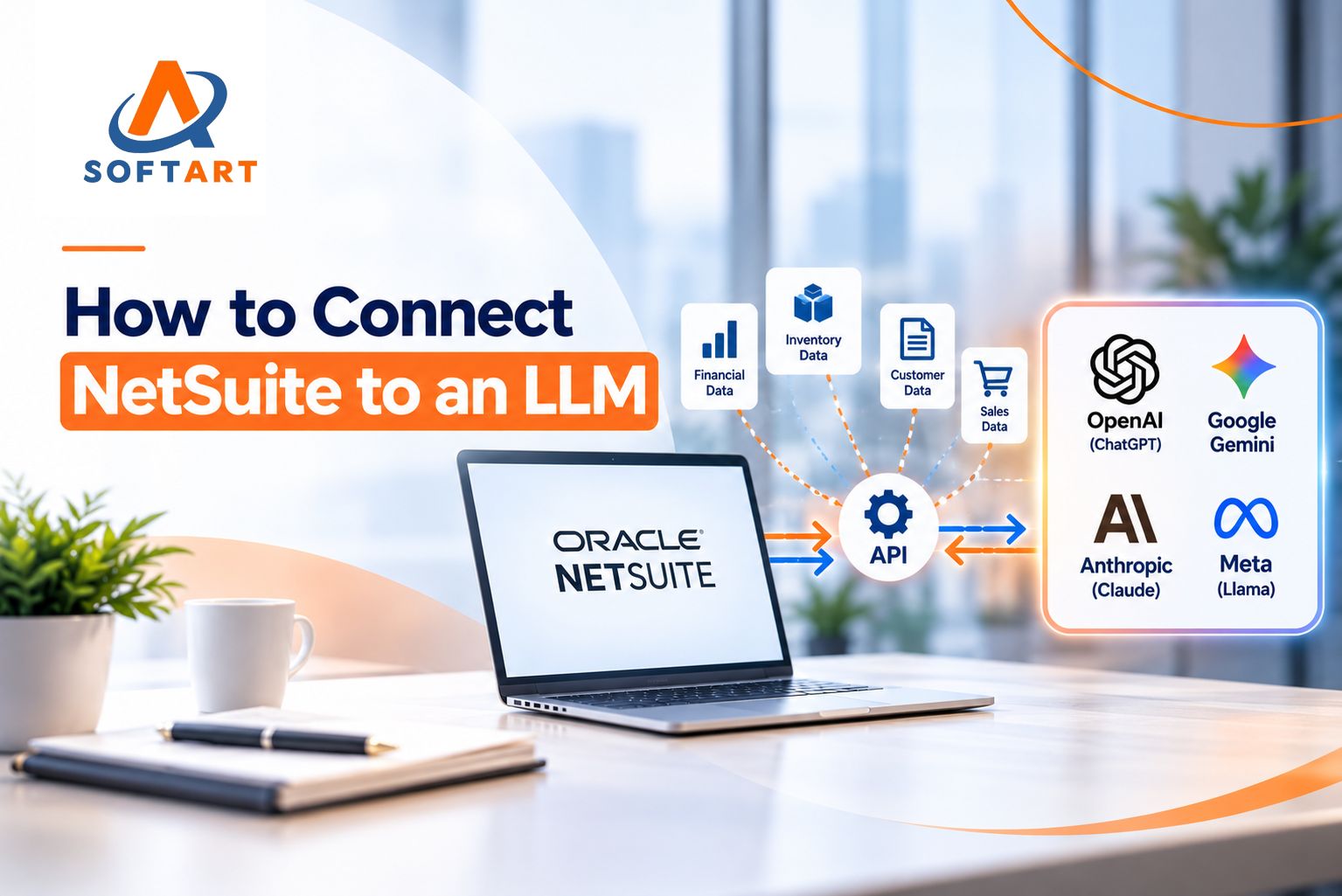
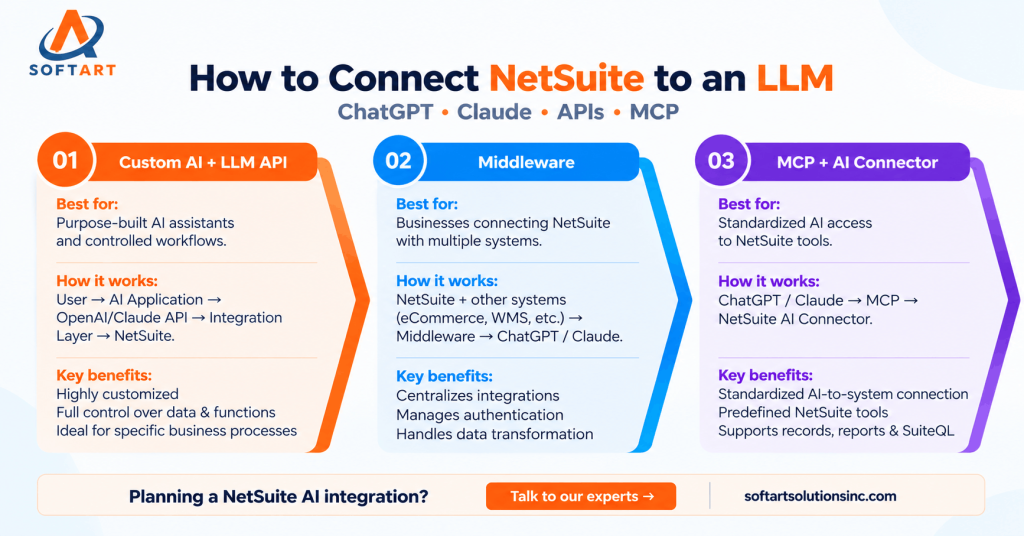
There are several ways to connect NetSuite with AI, including custom applications, middleware, APIs, and Model Context Protocol (MCP). The right approach depends on your use case, security requirements, existing integrations, and how much control and customization your business needs.
Three Ways to Connect NetSuite with AI
1. Build a Custom Application Using an LLM API
If you need a purpose-built AI assistant for a specific business process, you can build an application between the LLM and NetSuite.
The flow typically looks like:
User → AI Application → OpenAI/Claude API → Integration Layer → NetSuite
For example, a finance employee could ask:
Which customers have invoices overdue by more than 60 days?
The application sends the request to the LLM, while the integration layer determines which NetSuite data can be retrieved. NetSuite can then return the relevant information through REST Web Services, and the AI converts that data into a useful response.
The important principle is that the LLM should not have unrestricted access to the ERP. Your application should control the functions and data available to the model.
This approach is useful when you need a highly customized NetSuite OpenAI integration, automated workflow, or internal AI assistant.
2. Use Middleware Between AI and NetSuite
Middleware can sit between NetSuite, an AI model, and other business applications.
For example, an AI assistant might need:
- Customer information from NetSuite
- Shipment status from a WMS
- Order information from an eCommerce platform
- Product information from another system
Instead of building separate connections for every application, middleware can manage authentication, API requests, data transformation, business rules, logging, and error handling.
This approach can be particularly useful for companies with complex existing integrations or high transaction volumes.
3. Use MCP with the NetSuite AI Connector Service
Model Context Protocol (MCP) provides a standardized way for supported AI clients to interact with external tools and systems.
Oracle NetSuite’s AI Connector Service supports MCP connections with AI clients including ChatGPT and Claude. The MCP Standard Tools SuiteApp provides predefined tools for interacting with supported NetSuite functionality.
Depending on the configuration and permissions, these tools can work with NetSuite records, reports, saved searches, and SuiteQL. Record tools can also create or update records through REST Web Services when the connected role has the necessary permissions.
For businesses evaluating a NetSuite MCP integration, this can reduce the need to build every AI function from scratch.
What Needs to Be Configured in NetSuite?
Connecting NetSuite to ChatGPT or Claude involves more than entering an API key.
The NetSuite environment needs the appropriate features, authentication method, roles, permissions, and integration configuration.
Enable the Required Features
For REST-based integrations, REST Web Services must be enabled.
For the NetSuite AI Connector Service and MCP Standard Tools, the required NetSuite features and SuiteApp configuration must also be in place. Depending on the implementation, this can include Server SuiteScript, REST Web Services, and OAuth 2.0.
The exact requirements depend on the connection method and tools being used.
Create the Integration Configuration
For a custom API integration, the Integration Record is configured under: Setup → Integration → Manage Integrations → New
This defines how the external application authenticates with NetSuite. For OAuth 2.0 integrations, credentials and authorization settings must be configured securely. The NetSuite AI Connector Service uses an OAuth 2.0 authorization-code flow with PKCE.
Use a Dedicated NetSuite Role
One of the most important parts of a NetSuite AI integration is permissions. Do not connect AI using an Administrator role. Create a dedicated role for the integration and provide only the permissions required for the specific use case. For example, an AI assistant answering sales and finance questions might need access to:
- Customers
- Invoices
- Sales Orders
- Items
- Inventory
It may not need access to payroll, banking, employee records, or other sensitive information. This follows the principle of least-privilege access and reduces the risk of exposing unnecessary ERP data.
Configure OAuth 2.0 Authentication
Authentication determines how the AI connection securely accesses NetSuite. For the NetSuite AI Connector Service, OAuth 2.0 Authorization Code Grant with PKCE is used. For custom REST Web Services integrations, OAuth 2.0 is the recommended approach for new integrations.
A simplified flow is: AI Client → NetSuite Authorization → User Approval → Authorization Code → Access Token → NetSuite
The exact implementation depends on whether you are building a custom NetSuite OpenAI integration, connecting Claude, or using the NetSuite AI Connector.
Decide What the AI Can Actually Do
Authentication answers who can connect. Permissions and tools determine what the AI can do. Instead of exposing everything in NetSuite, define specific functions such as:
Customer
- Search customer
- Retrieve customer
Finance
- Search invoice
- Retrieve invoice
- Retrieve payment
Sales
- Search sales order
- Retrieve sales order
Inventory
- Check inventory
- Search item
For a custom application, developers define these functions. With MCP Standard Tools, supported NetSuite operations are provided as predefined tools, subject to the connected role’s permissions.
This separation gives businesses greater control over AI-driven ERP interactions.
Start With Read-Only Access
For most businesses, starting with read-only access is the safest approach.
For example:
User: What is the outstanding balance for ABC Corp?
AI: ABC Corp currently has $42,000 in outstanding invoices.
Once the connection has been tested, businesses can consider controlled write operations.
For example:
User: Create a $25,000 sales order for ABC Corp.
AI: I found the customer and prepared the sales order. Would you like me to create it in NetSuite?
Only after appropriate confirmation should the system perform the write operation.
This approach introduces AI into transactional processes gradually while maintaining human oversight.
Security Considerations for NetSuite AI Integration
AI should not be treated as simply another NetSuite integration.
Before connecting an AI system, consider:
- Least-privilege permissions
- Sensitive financial and employee data
- Read-only versus write access
- User authorization
- Logging and monitoring
- API and integration limits
- Human approval for important transactions
- Testing in a controlled environment
AI-generated responses should also be validated against NetSuite data, particularly when decisions involve financial, inventory, or customer information.
Which NetSuite AI Integration Approach Should You Choose?
There is no single solution for every business.
The right architecture depends on your existing NetSuite environment, integrations, security requirements, customization needs, and business objectives.
Why NetSuite Experience Still Matters
A NetSuite AI project is not only an AI project.
The underlying work still involves ERP architecture, roles, permissions, APIs, authentication, integrations, data, and business processes.
That is where experienced Oracle NetSuite consulting can make a difference.
SoftArt Solutions has 22+ years of ERP experience and 58+ successful integrations, with experience across NetSuite implementations, integrations, rescue projects, and ongoing support.
If your business is evaluating AI for NetSuite, start by defining what the AI should access, what it should be able to do, and what systems it needs to connect with.
Need help with a NetSuite AI integration, API connection, or broader ERP integration? SoftArt Solutions provides NetSuite integration and consulting services for businesses in the USA.
FAQs
Can ChatGPT connect to NetSuite?
Yes. ChatGPT can connect to NetSuite through supported NetSuite AI Connector and MCP configurations, or through a custom application using APIs.
Can Claude connect to NetSuite?
Yes. Claude can connect through supported MCP configurations using the NetSuite AI Connector Service.
Do I need middleware to connect NetSuite to AI?
No. Middleware is only one option. Businesses can use a custom application, APIs, or the NetSuite AI Connector and MCP approach depending on their requirements.
Is OAuth 2.0 required for NetSuite AI integration?
The NetSuite AI Connector Service uses OAuth 2.0 with PKCE. OAuth 2.0 is also the recommended authentication approach for new REST Web Services integrations.
Should AI have write access to NetSuite?
Only when there is a clear business requirement. Starting with read-only access and introducing carefully controlled write actions with appropriate human approval is generally a safer approach.